
Integration Suite | Export | Create and structure export contexts
Create export contexts
You create your export contexts in the Studio under “Settings”.
Each context is a separate object with its own properties. You can search and filter the objects in the list view as usual.
Define the permissions for the context directly after creation. Only then will the context and the subfolders for the states be displayed in the tree.
Structure export contexts
You can structure your contexts in folders by naming them in the general settings as follows:
Folder name before the name + > + Context name
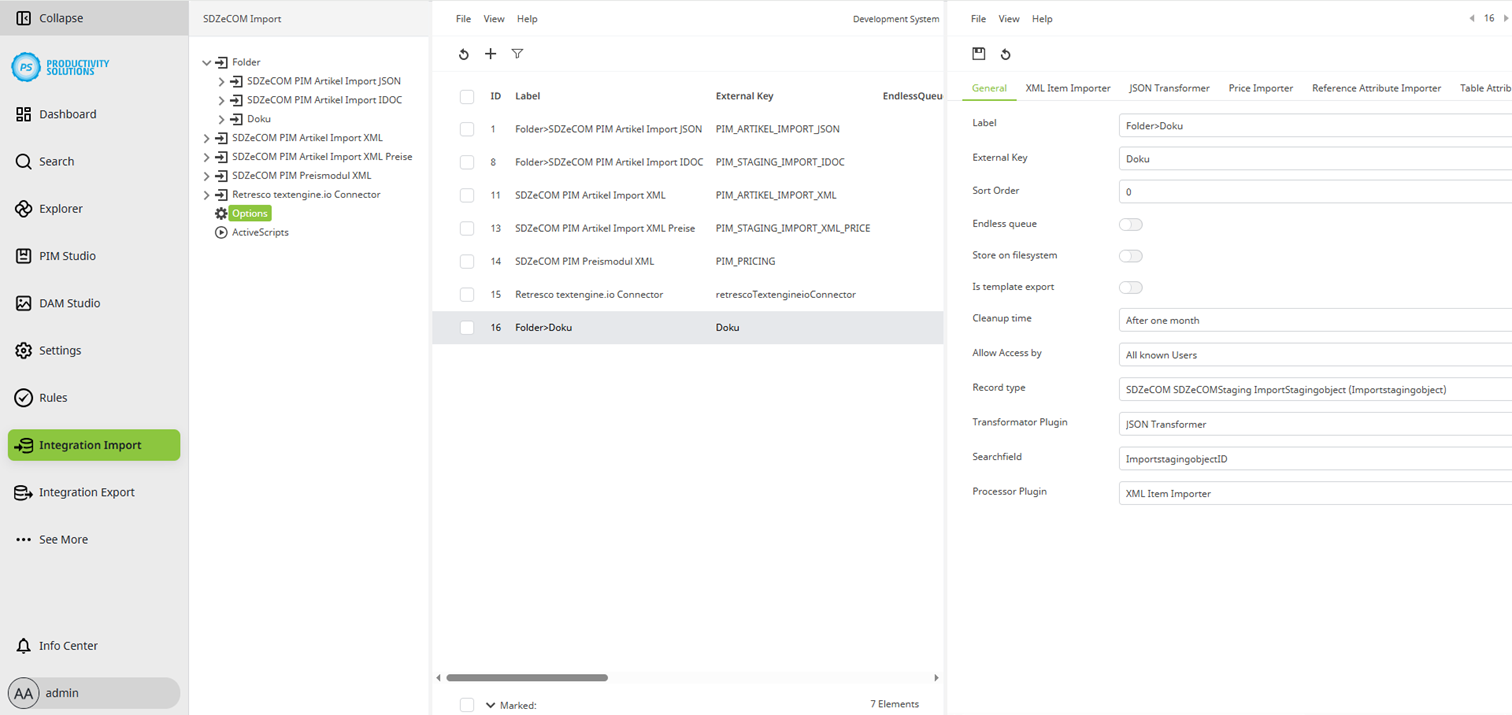
Example:
Website>Attributes
Website>Products
This generates a “Website” folder that contains “Attributes” and “Products” as contexts.
The groupings are also applied for processing from the tree or list if these options are enabled in the processor plug-in.
Shorter version of the context designation
For processing from the tree or list, a shortened name of the context can be entered in the “Short name” field in the general settings. This is particularly useful for long context designations as they are then not displayed in full but truncated and with ...