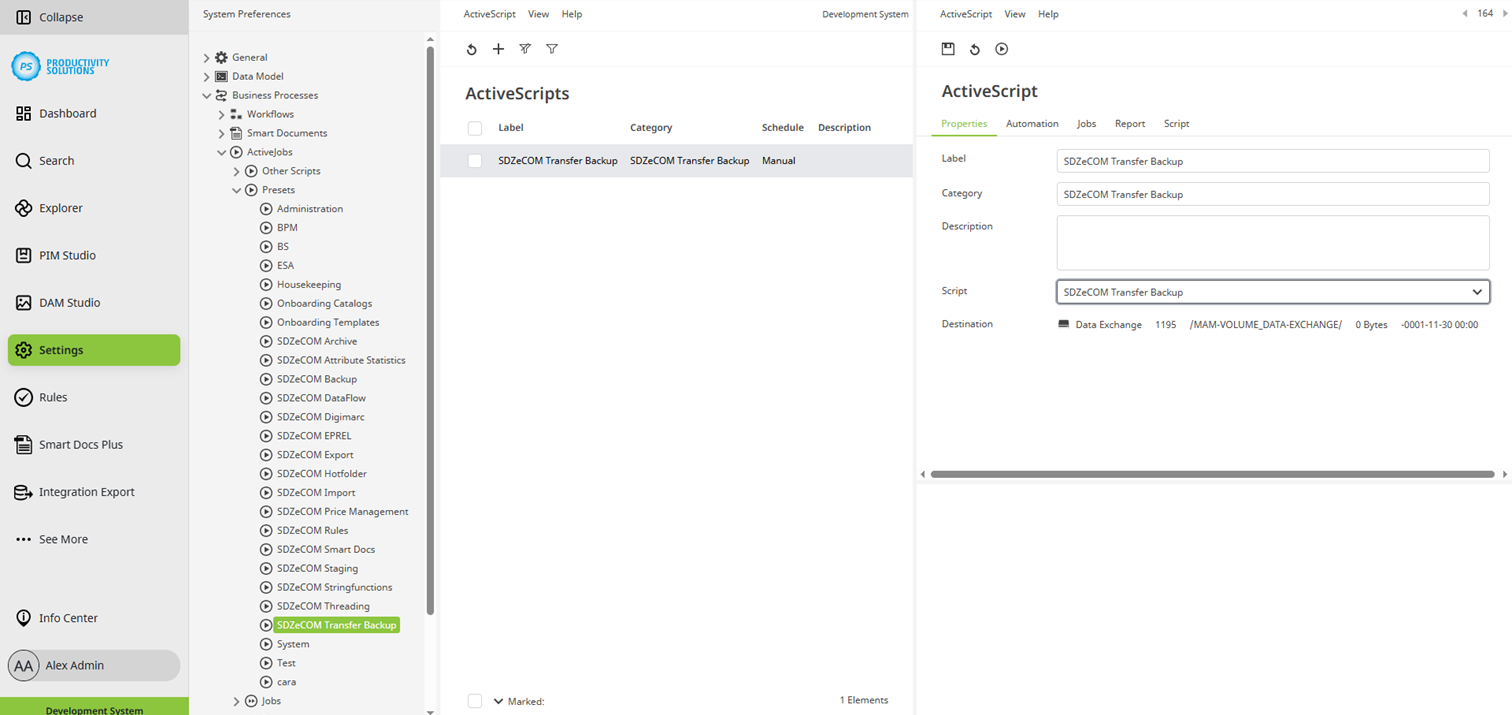
The Centric PXM™ backups are sent to a DAM folder by an Active Job.
The job, including the corresponding script, are created automatically by updating the data model after installation.
If the script is accidentally deleted, for example, you can recreate it.
Create an active job as usual and select the “SDZeCOM EPREL” script.
You will find the script in the active jobs in the Centric PXM™ settings.
Configure the script as follows:
Field
|
Description
|
|
Designation |
Name of the context |
|
Category |
SDZeCOM Transfer Backup If you append further text to the category name, a separate folder is generated. |
|
Description |
|
|
Skript |
SDZeCOM Transfer Backup |
|
Destination |
Select the DAM folder in which the backups are to be stored. From there, the files can be sent to a cloud storage system. This configuration must be performed by SDZeCOM. |
In the “Automation” tab, define the intervals at which the backups are to be created.