
Generic Docs Configurator | Export using an active script
If the Integration Suite is not licensed, you can use an active script provided by the Generic Docs Configurator.
The job, including the corresponding script, are created automatically by updating the data model after installation.
If the script is accidentally deleted, for example, you can recreate it.
Create an active job as usual and select the “SDZeCOM SDZeCOM Genericdocs export” script.
You will find the script in the active jobs in the Centric PXM™ settings.
In the “Automation” tab, define the intervals at which the statistics are to be recalculated.
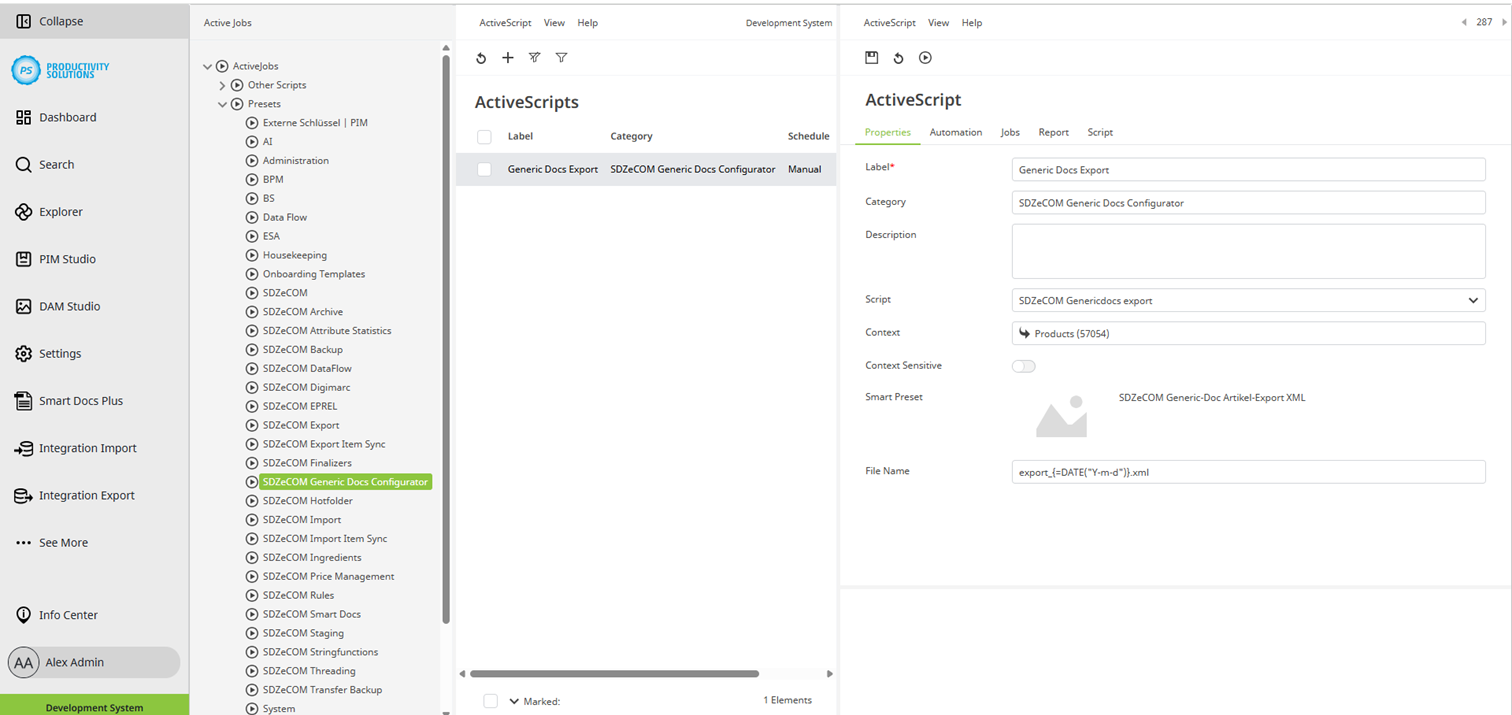
Field | Description |
Context | Select the tree node that is to be used for the export. The folder is searched recursively. |
Context-sensitive | Activate this option in order to be able to run the script from the tree. |
Smart Preset | Define the Smart Doc Preset you want to export. |
File name | Define a file name. Optionally, the file name can be a function. Example: {=ATTRVAL(“ExternalKey”)}.xml |