
With a Ruled Ref, you can define actions for target attributes when the rule is fulfilled (TRUE; see also: fulfillment status). The rule calculation duration is also displayed.
The attribute only indicates whether and – if configured – to what degree the selected rule is fulfilled. The rule calculation duration is also displayed.
The most common examples:
This attribute type is based on tables. At least the rule to be checked, the target attribute and the action or reference type are defined for each table row.
Create an attribute as usual and select the type Ruled Ref. Depending on the reference type, there may be further attribute options.
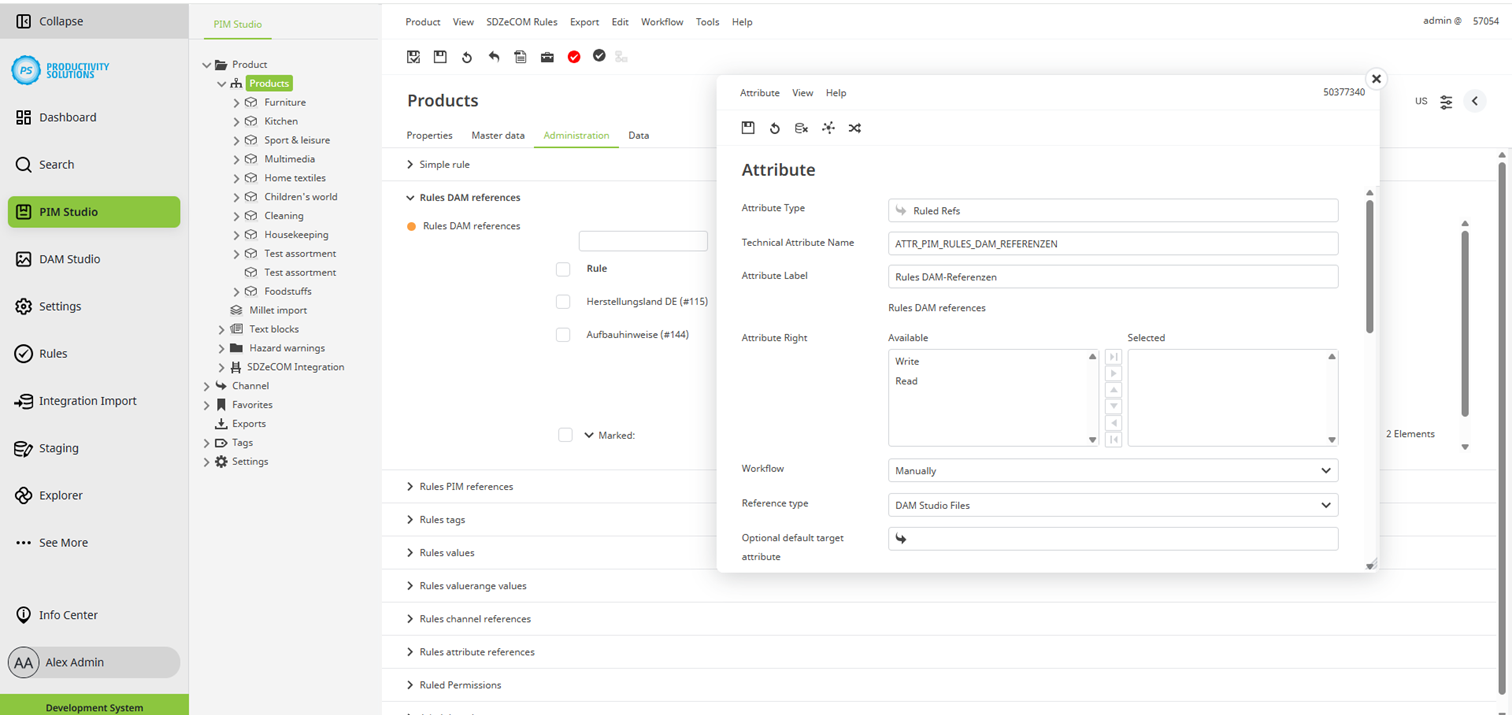
Attribute-specific additional option
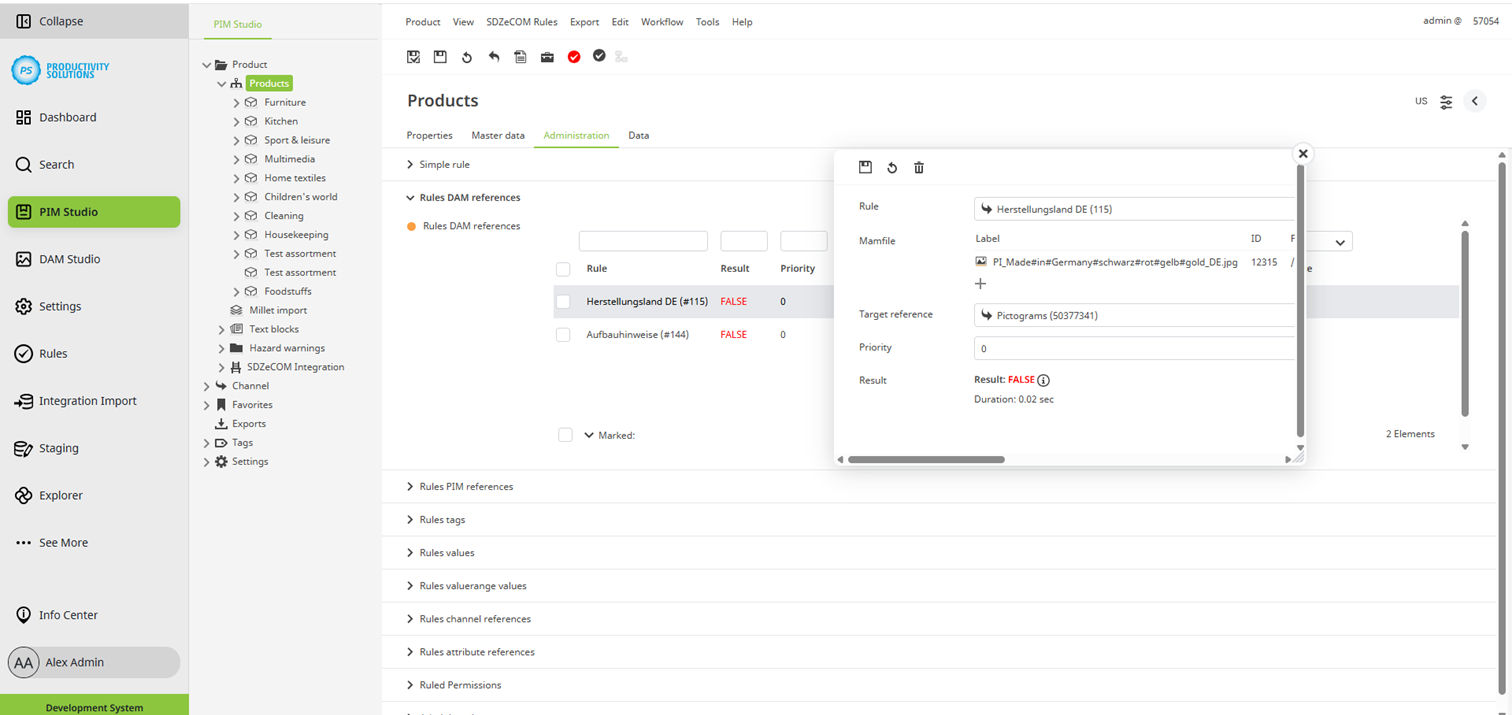
Now you can create the desired Ruled Refs as table entries for the desired object in the corresponding Studio. Certain options are available for all entries regardless of the reference type.
Field
|
Description
|
|---|---|
|
Rule |
The corresponding rule is checked, and the Ruled Ref is only performed when the rule is fulfilled. |
|
Priority |
The priority can be used for defining the order in which the Ruled Refs are processed. |
|
Result |
Displays the result of the rule check. |
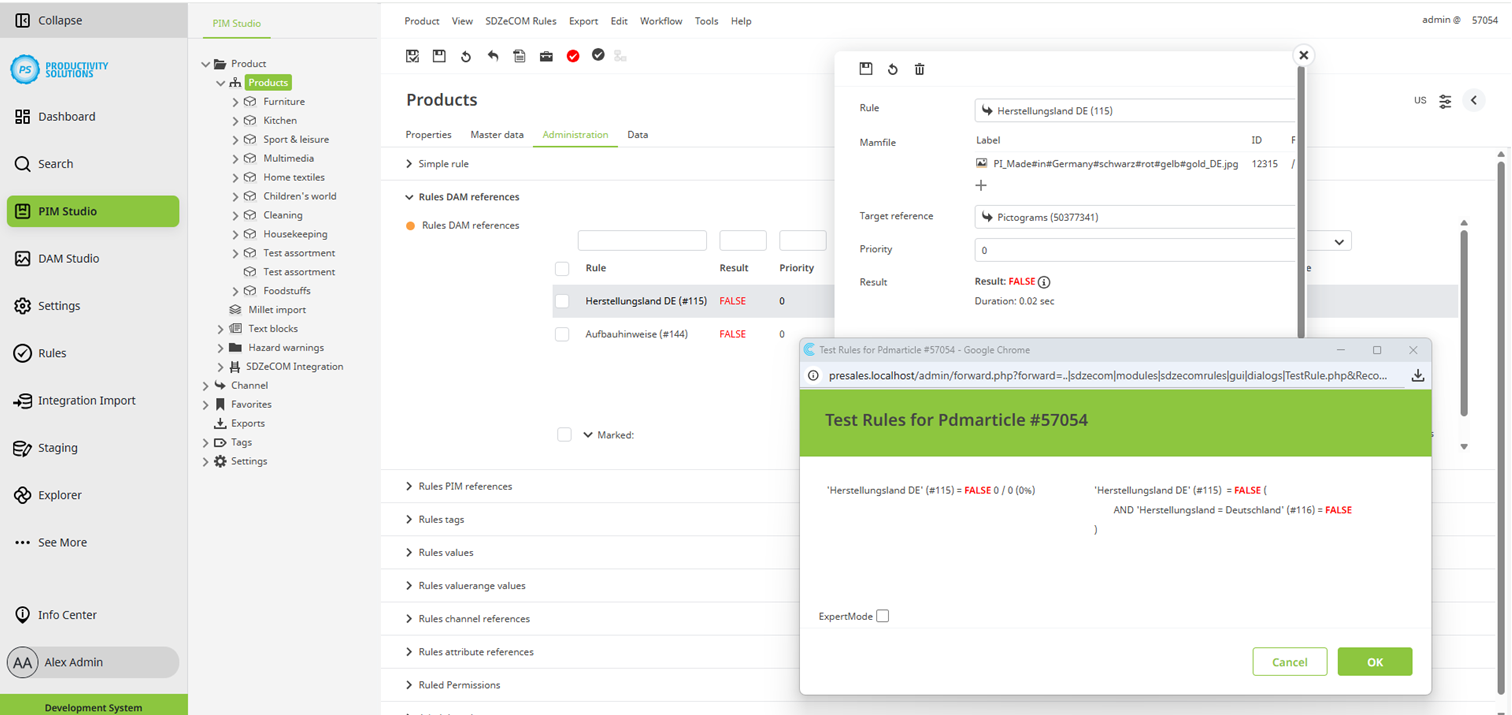
You can obtain information on the criteria that the object fulfills and those that it does not in the following ways:
-
Info icon directly next to the result
-
Side menu (double-click on the right-hand edge of the screen > Rules.
It is not possible to use dependencies to other Ruled Refs within the Ruled Refs. However, you can retrieve dependencies using a formula and separate them using the Write back result function. Then, you can use the result for further steps. For this procedure, a sort order must also be maintained within the Ruled Refs.