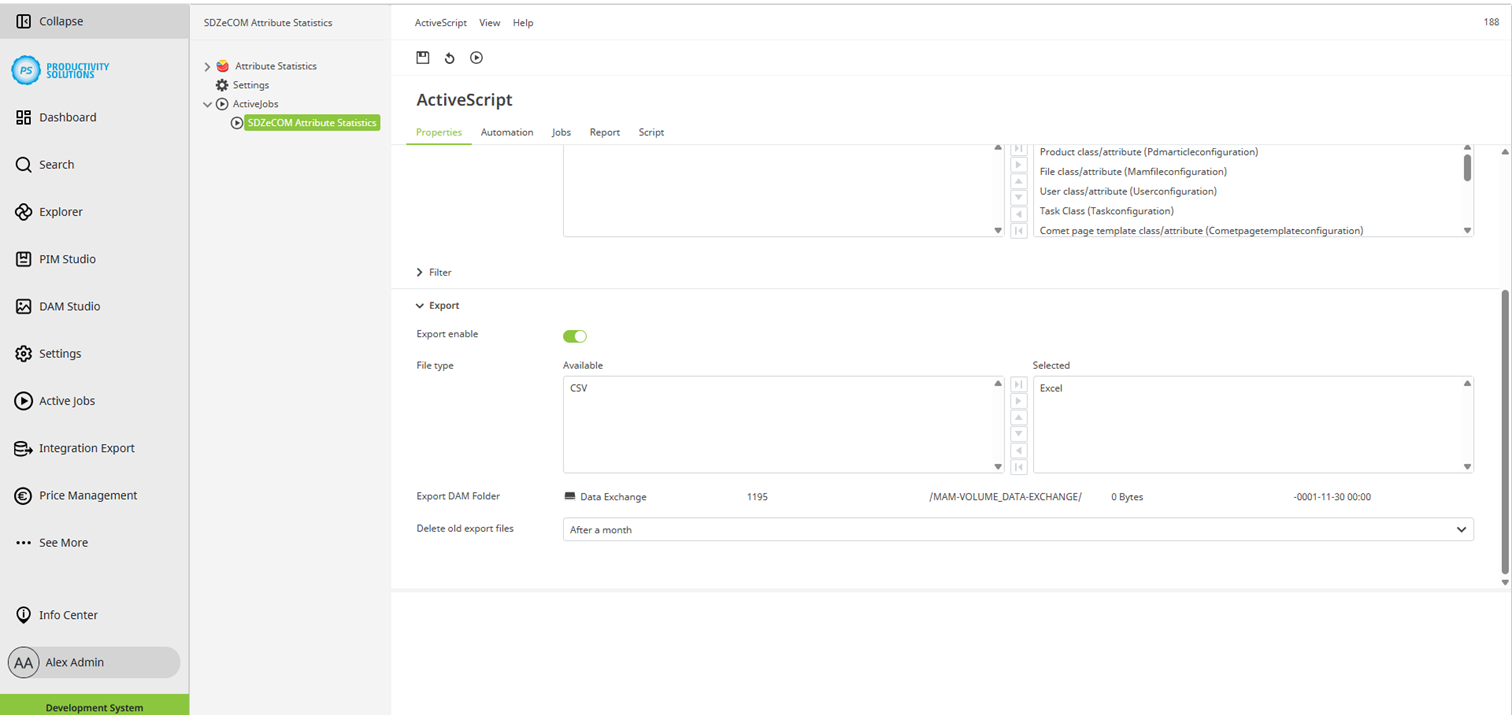
The statistics are generated by an active job.
The job, including the corresponding script, are created automatically by updating the data model after installation.
If the script is accidentally deleted, for example, you can recreate it.
Create an active job as usual and select the “SDZeCOM Attribute Statistics - Initial the Attribute Statistics ” script.
We recommend that, for each script, you select a user in the “Automation” tab under “Run as user” who has all permissions but does not actively log in to the system, such as the CS Scheduler. This prevents jobs from being interrupted, for example, by unexpected permission checks running in the background.
You will find the script in the Attribute Statistics Studio under “Script” or in the active jobs in the Centric PXM™ settings.
In the “Automation” tab, define the intervals at which the statistics are to be recalculated.
Sections
Properties
Field
|
Description
|
|
Label |
SDZeCOM Attribute Statistics |
|
Category |
SDZeCOM Attribute Statistics |
|
Description |
|
|
Skript |
SDZeCOM Attribute Statistics - Initial the Attribute Statistics |
|
Attribute Objects |
Select the contexts for which the statistics are to be calculated, e.g. PIM products or DAM files |
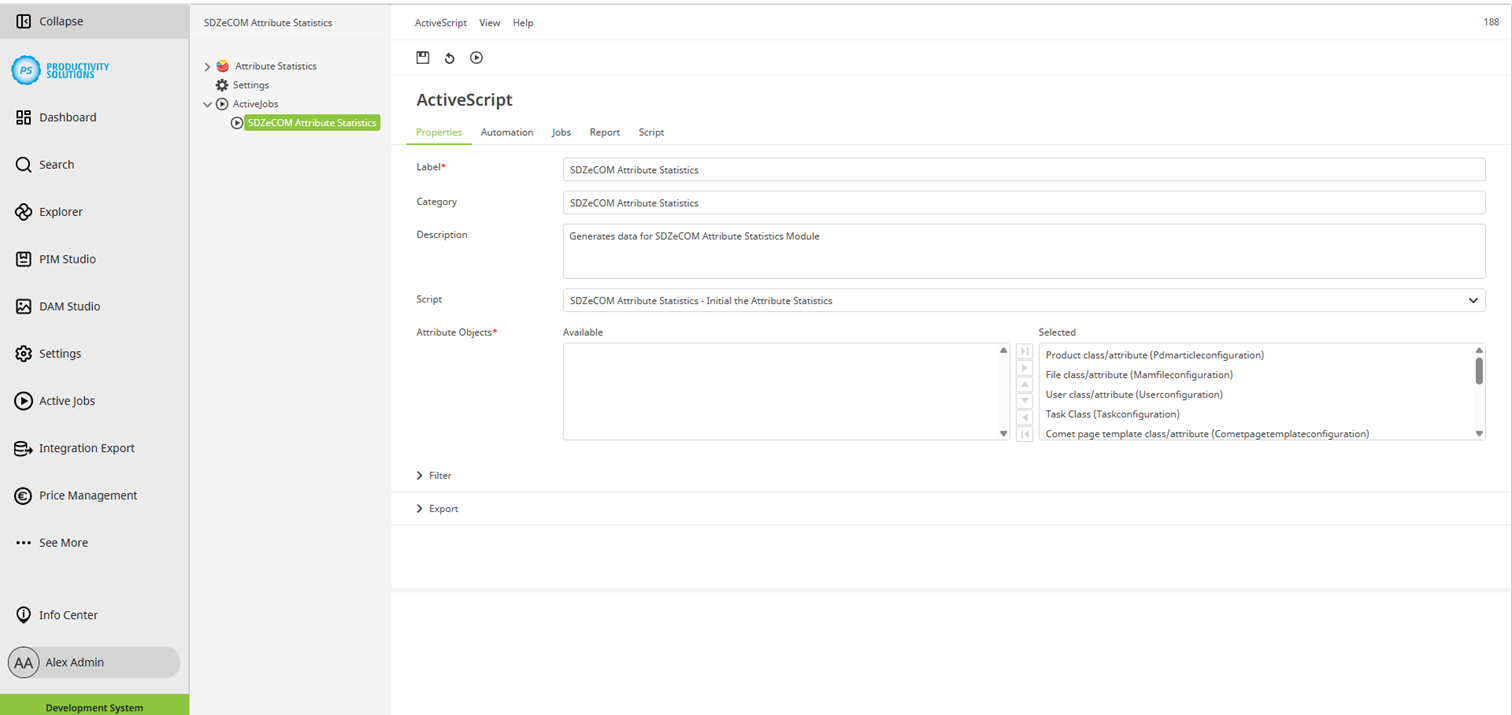
Filters
Field
|
Description
|
|
Handlers |
If necessary, define the objects or contexts for which the script is to be run. If nothing is selected, statistics will be generated for all contexts. As a rule, you will always generate the statistics for all contexts. However, it might become necessary to exclude certain contexts if the script does not run properly and reports errors. In many cases, this is caused by the use of large files in one or more Data Flow jobs. |
|
Include default fields include into statistics |
Select this option to include standard attributes from CentricTM PXM in the statistics. In the statistics for classes, these always appear under “Attributes without classes” since these attributes are not assigned to any class by nature. |
|
Include attribute folders include into statistics |
Select this option to include attribute folders from CentricTM PXM in the statistics. |
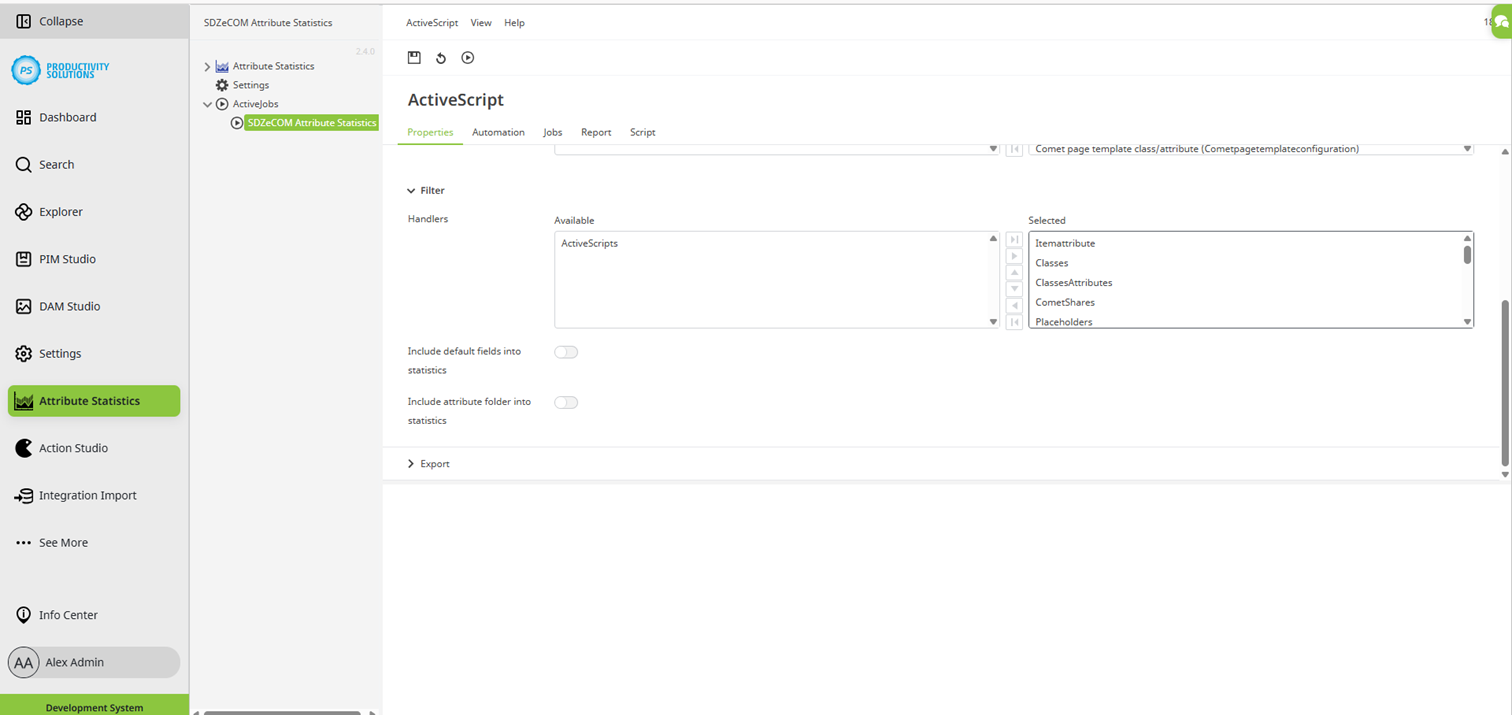
Export
Field
|
Description
|
|
Export enable |
Enable this option to export the statistics as CSV and / or Excel files. You can use this function, for example, to store the statistics in the DAM for backup purposes. |
|
File type |
Choose one of the file types or both:
|
|
Export DAM Folder |
If you want to store the file in the DAM, e.g. for backup purposes, select the DAM folder in which the statistics are to be stored. Otherwise, the file can be downloaded as usual in the script's results window. The file name is structured as follows and cannot be changed: Sdzecomattributestatistic_YYYY-MM-DD_HH-MM-SS.FileExtension Example: Sdzecomattributestatistic_2025-11-25_13-34-29.xlsx |
|
Delete old export files |
Select a period after which old export files are to be deleted from the folder:
|