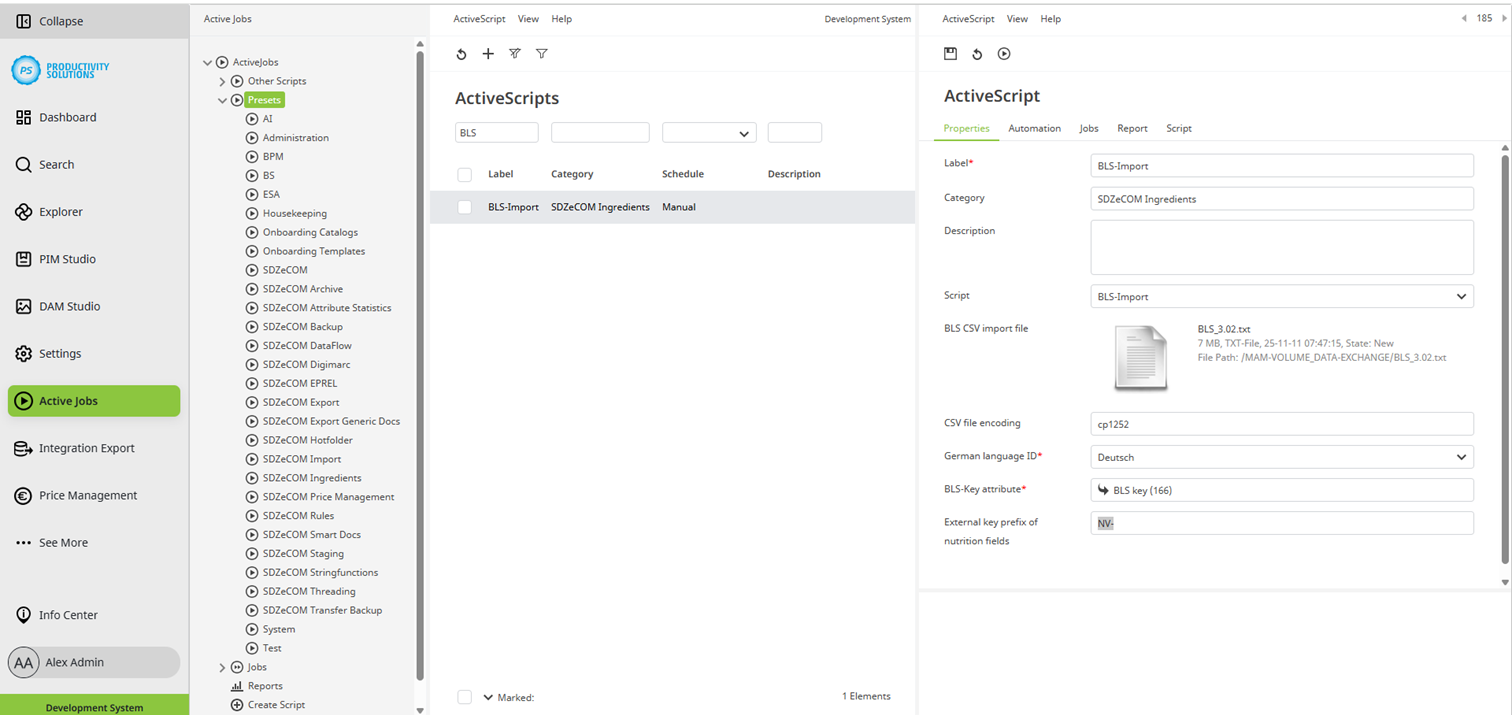
This script allows ingredients and their nutritional values to be imported into the Ingredients Studio as a CSV file.
Feel free to contact us if you have any other language-specific food code to be implemented.
Options:
Field
|
Desccription
|
|
Label |
Name of the context |
|
Category |
SDZeCOM Ingredients If you append further text to the category name, a separate folder is generated. |
|
Beschreibung |
|
|
Script |
SDZeCOM Ingredients BLS Import |
|
BLS CSV import file |
Select the CSV or TXT file you received from the German Food Institute and previously stored in the DAM. |
|
CSV file encoding |
The BLS TXT file is usually encoded in cp1252. If not, change the encoding accordingly. |
|
German language ID |
Select the languages into which the German name is to be imported. |
|
BLS key attribute |
Select the attribute for the BLS key (BLS alias for nutrients in the Ingredient Studio). |
|
External key prefix of nutrition fields |
Default: NV- If the default value is changed, the existing nutrients will not be found in the Studio. |