
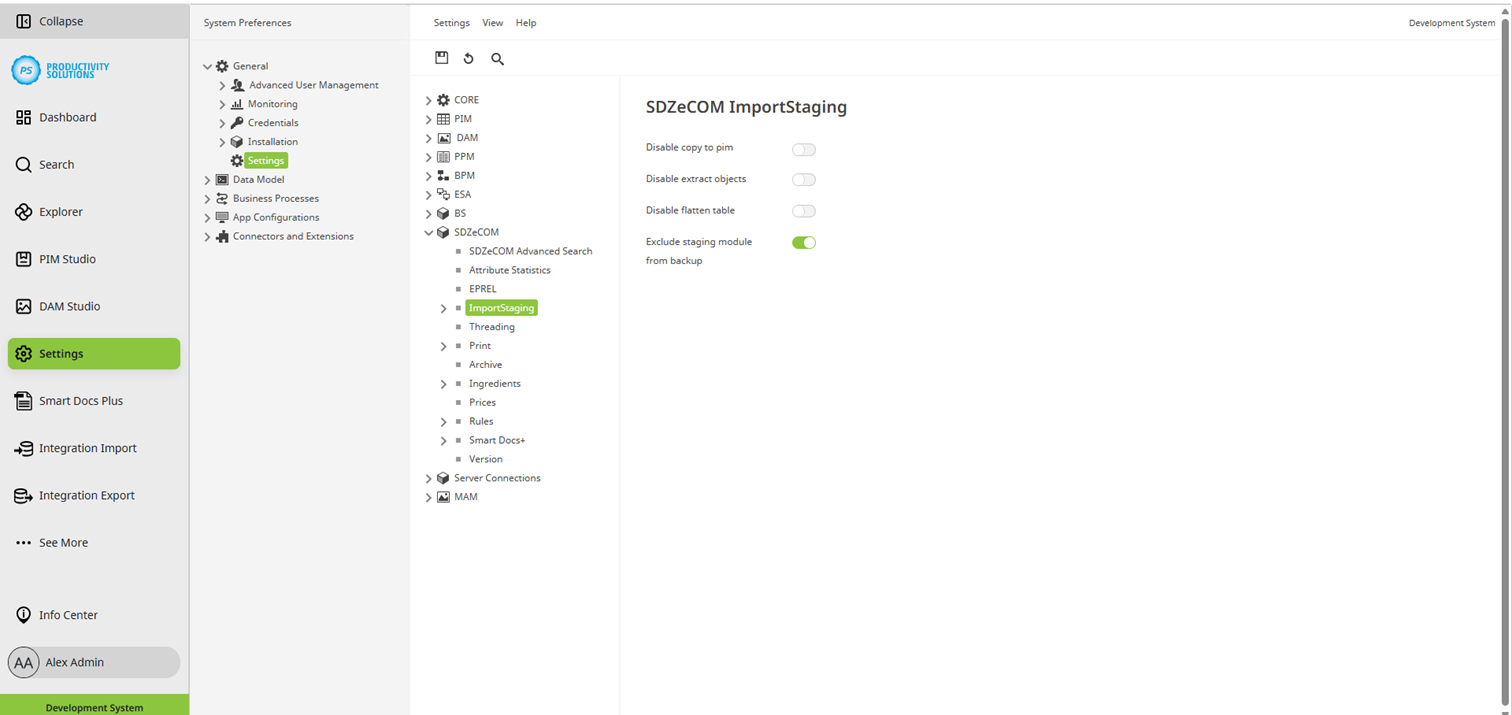
You can define the following configurations for the module in the Centric PXM™ settings section under "SDZeCOM":
Field
|
Description
|
|
Disable copy to pim |
The automatic copying process to the PIM Studio is deactivated. Data can now only be transferred to the PIM manually. |
|
Disable extract objects |
Objects can no longer be extracted. This means that sub-objects can no longer be removed from objects in order to create them as separate, simpler objects. |
|
Disable flatten table |
Tables can no longer be flattened. |
|
Exclude staging module from backup |
Staging objects are not backed up, even in the standard CS backup. This significantly reduces the backup time. |
All options are used, among other things, for troubleshooting in order to narrow down possible error triggers during transmission to specific points in the transmission.
Selected HTML editor settings that correspond to those of, for example, PIM Studio and MAM Studio:
Tree
-
Show Products in Tree
Delayed loading of tabs in the editor
Editor
-
Mass Editing Attribute Selection
List
-
Display Workflow-State Icon with Workflow-State Name
Selected settings for the data model that correspond to those of, for example, PIM Studio and MAM Studio:
-
Saved Versions
-
Enable additive Inheritance for Configuration Classes