
You create templates for a Generic Doc in the Generic Docs Studio.
It is mandatory for the top element of your Generic Doc to be a folder!
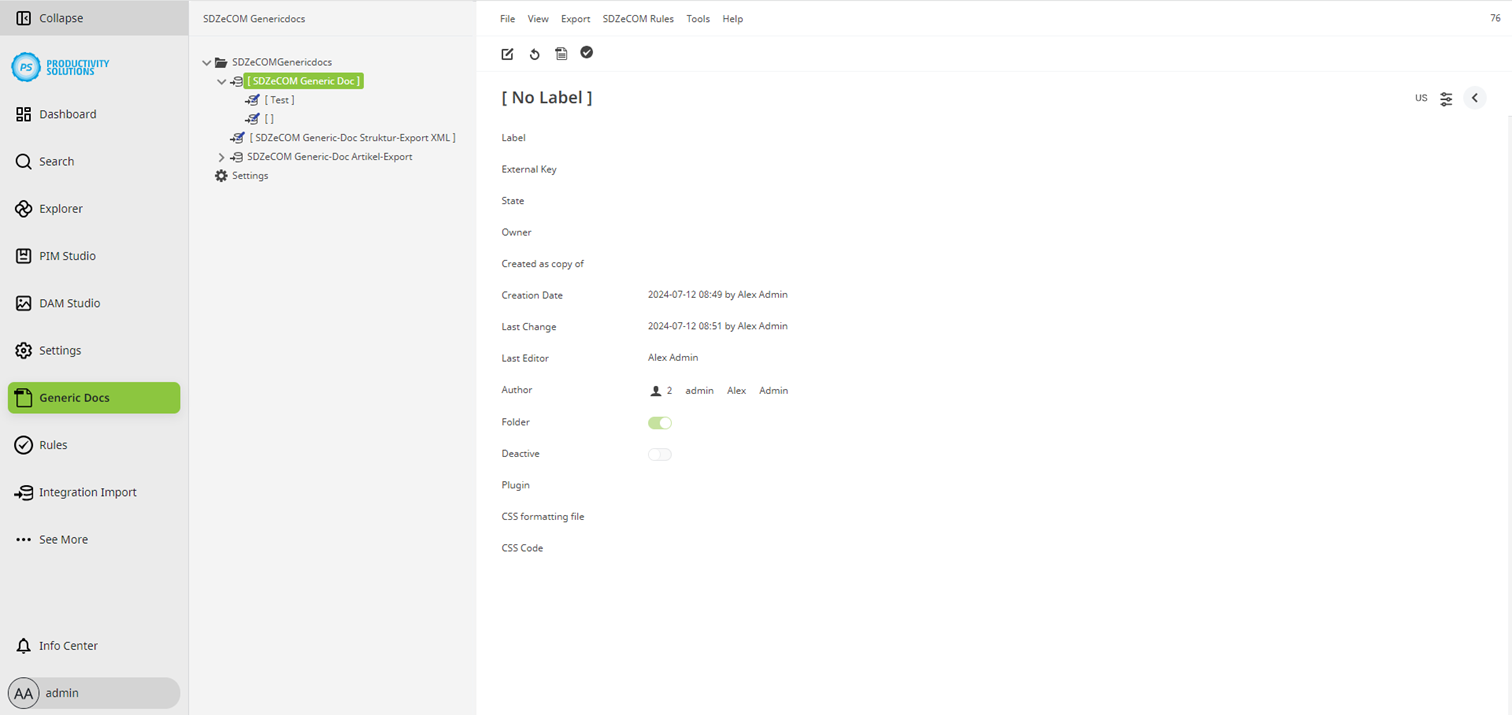
There are the following options for each object, most of which you will be familiar with from other studios:
-
Label
-
External Key
-
State
-
Owner
-
Created as copy of
-
Creation Date
-
Last Change
-
Author
-
Folder
-
Deactivate
-
CSS formatting file
-
CSS Code
Special features
Feld
|
Beschreibung
|
|---|---|
|
State |
For Generic Docs, you can create your own workflows with their own states, which are independent of those in the PIM Studio. |
|
Folder |
Unlike in the other studios, you can set whether an object is a folder directly on it, without detours via object types or exports/imports. It is mandatory for the top element of your Generic Doc to be a folder! |
|
Deactivate |
If you activate this option, the element will be ignored when rendering the document. |
|
CSS formatting file |
If you require CSS formatting in your Generic Doc, you can store a CSS file in the DAM and link to it here. |
|
CSS code |
If you require CSS formatting in your Generic Doc, you can enter the CSS code directly. |
|
Depending on the plug-in selected, there are further configuration options. |
You can define all your contents within just one plug-in for contents (usually „Formula” ).
However, for a better overview and easier maintenance, we recommend using subtemplates – i.e. objects below the actual template.