
Also refer to the options in the Centric PXM™ settings section.
Attribute settings
Field
|
Description
|
|---|---|
|
Attribute type |
Nutrition Table |
|
Ingredients |
Select the attribute that contains the ingredients. This is usually the “Ingredients Editor” attribute. |
|
Use nutrition from attribute |
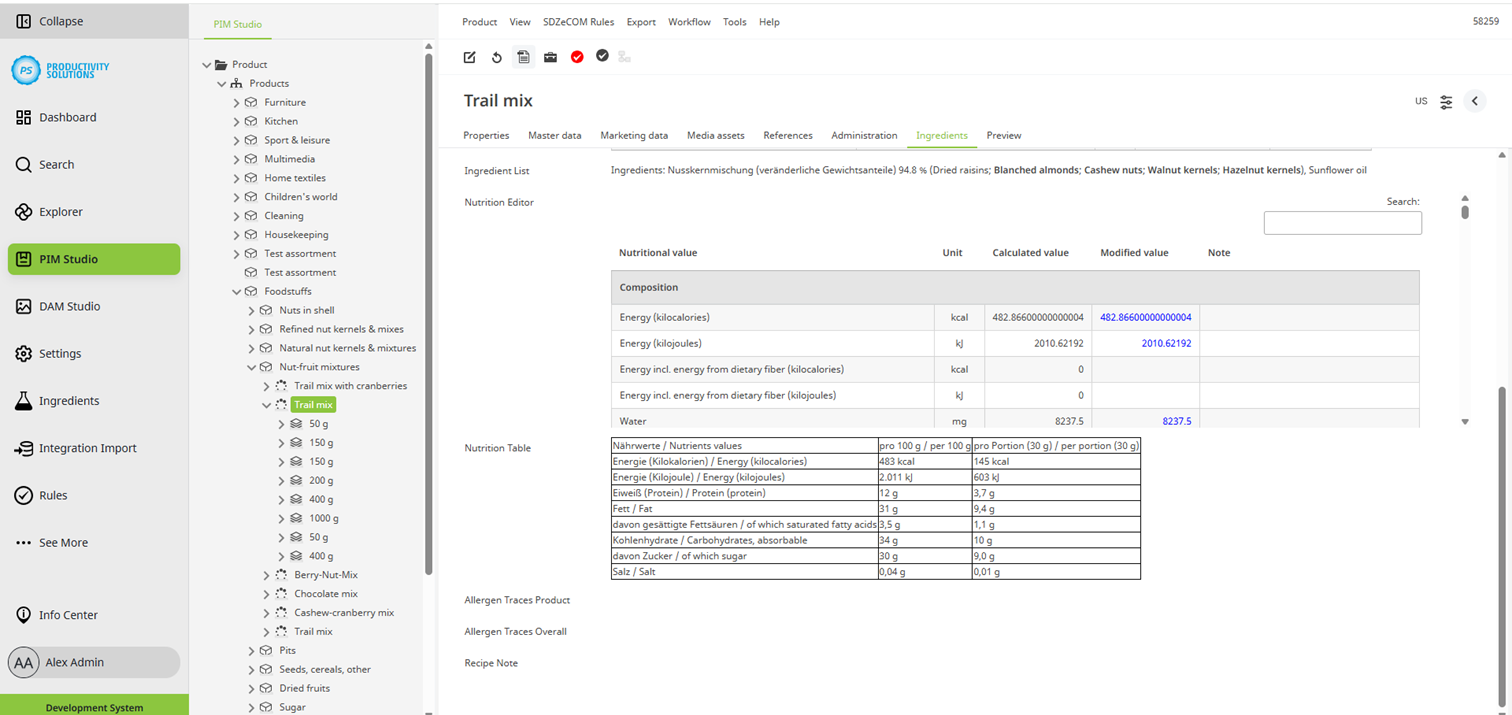
Select the attribute that contains the nutritional values. This is usually the “Nutrition Editor” attribute. |
|
Do grouping |
Activate this option to use the ingredient groupings from the ingredient editor. |
Data maintenance
Field
|
Description
|
|---|---|
|
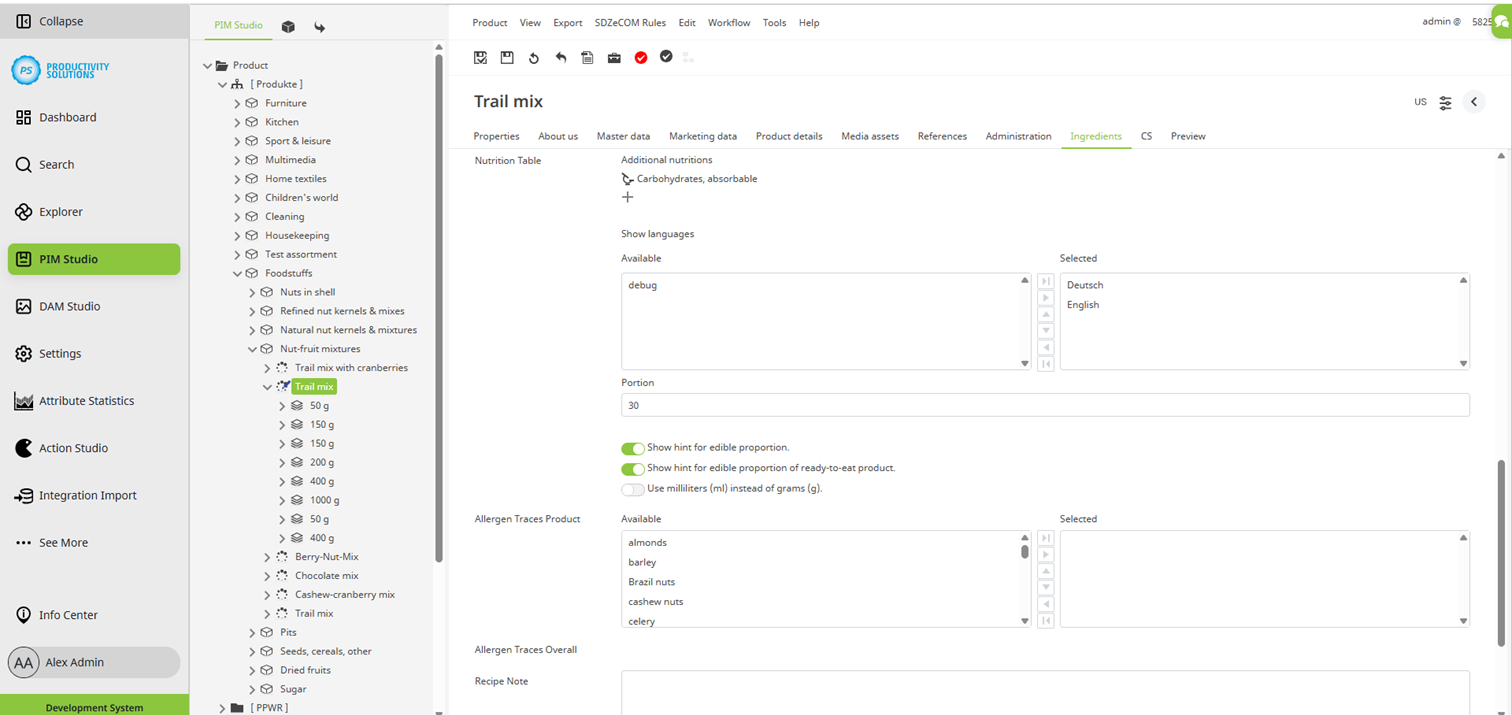
Additional nutritions |
Use the + to select additional nutrients or nutrient compositions from the Ingredient Studio to be displayed in the nutrition table in addition to the Big 5 (calories/energy, fat, carbohydrates, protein, salt). |
|
Show languages |
Select the languages in which you want to display the nutritional values in the table. |
|
Portion |
Enter the portion if necessary. The nutritional values are calculated for this value and displayed in another column in the table. |
|
Show hint for edible proportion |
Activate this option to display a note below the tables indicating that the nutritional values refer only to the edible portion of the ingredients. |
|
Show hint for edible proportion of ready-to-eat product. |
Activate this option to display a note below the tables indicating that the nutritional values refer to a ready-to-eat product. |
|
Use milliliters (ml) instead of grams (g). |
Select this option to use milliliters (ml) instead of grams (g) in the table. |