
You can define the following configurations for the module in the Centric PXM™ settings section under "SDZeCOM":
Selected HTML editor settings that are similar to those of, for example, PIM Studio and MAM Studio
-
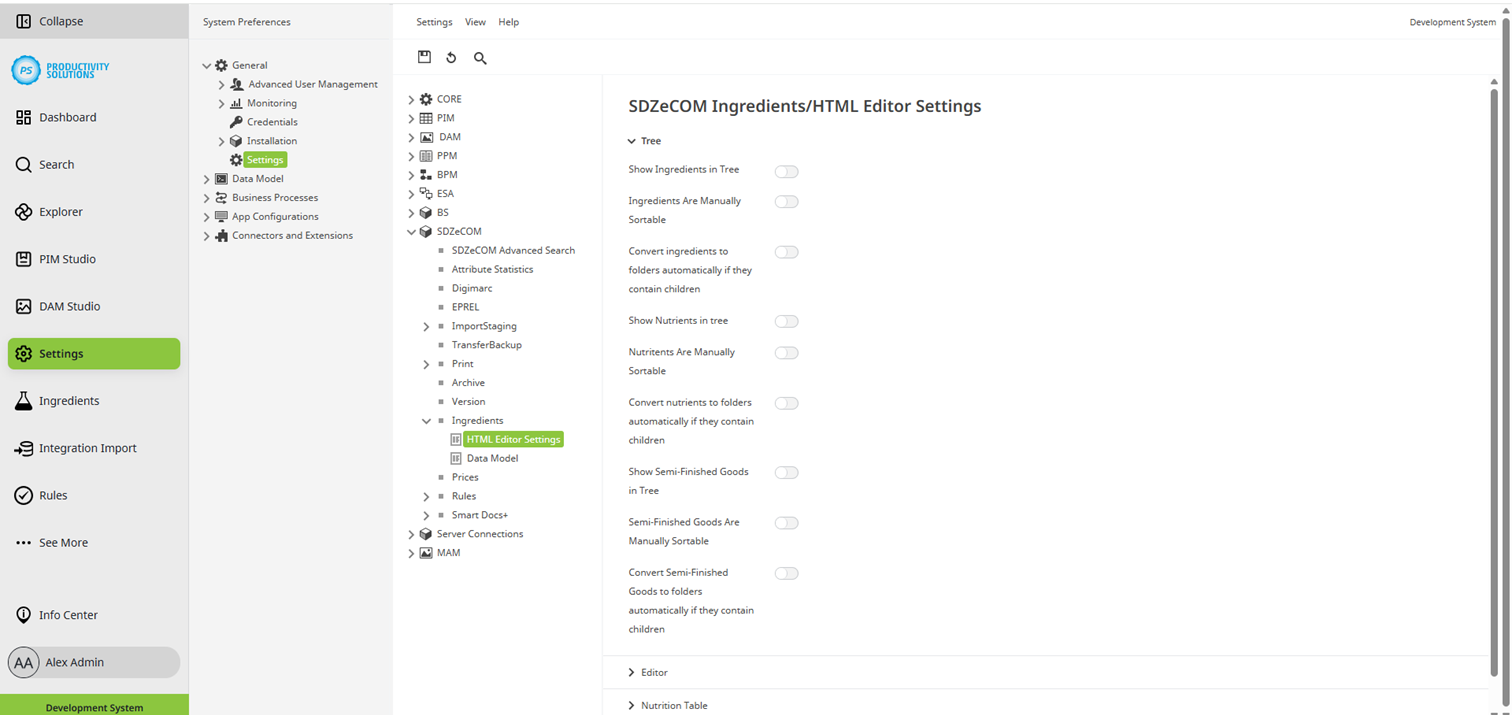
Show ingredients in tree
-
Ingredients are manually sortable
-
Convert ingredients to folders automatically if they contain children
-
Show nutrients in tree
-
Nutritents are manually sortable
-
Convert nutrients to folders automatically if they contain children
-
Show semi-finished goods in tree
-
Semi-finished goods are manually sortable
-
Convert semi-finished goods to folders automatically if they contain children
-
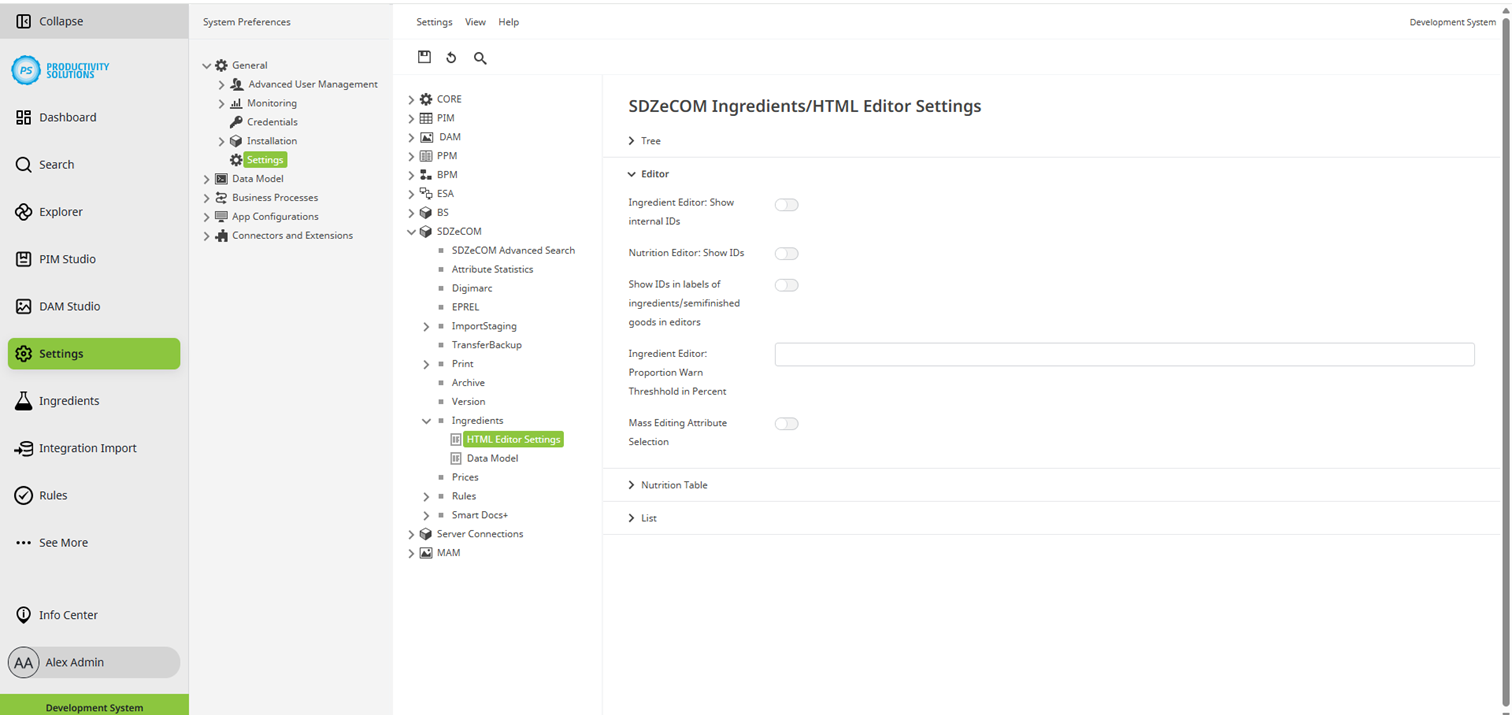
Ingredient editor: Show internal IDs
-
Nutrient editor: Show IDs
-
Show IDs in labels of ingredients/semi-finished goods in editors
-
Ingredient editor: Warning threshold for proportions in percent
-
Mass Editing Attribute Selection
List
-
Display Workflow-State Icon with Workflow-State Name
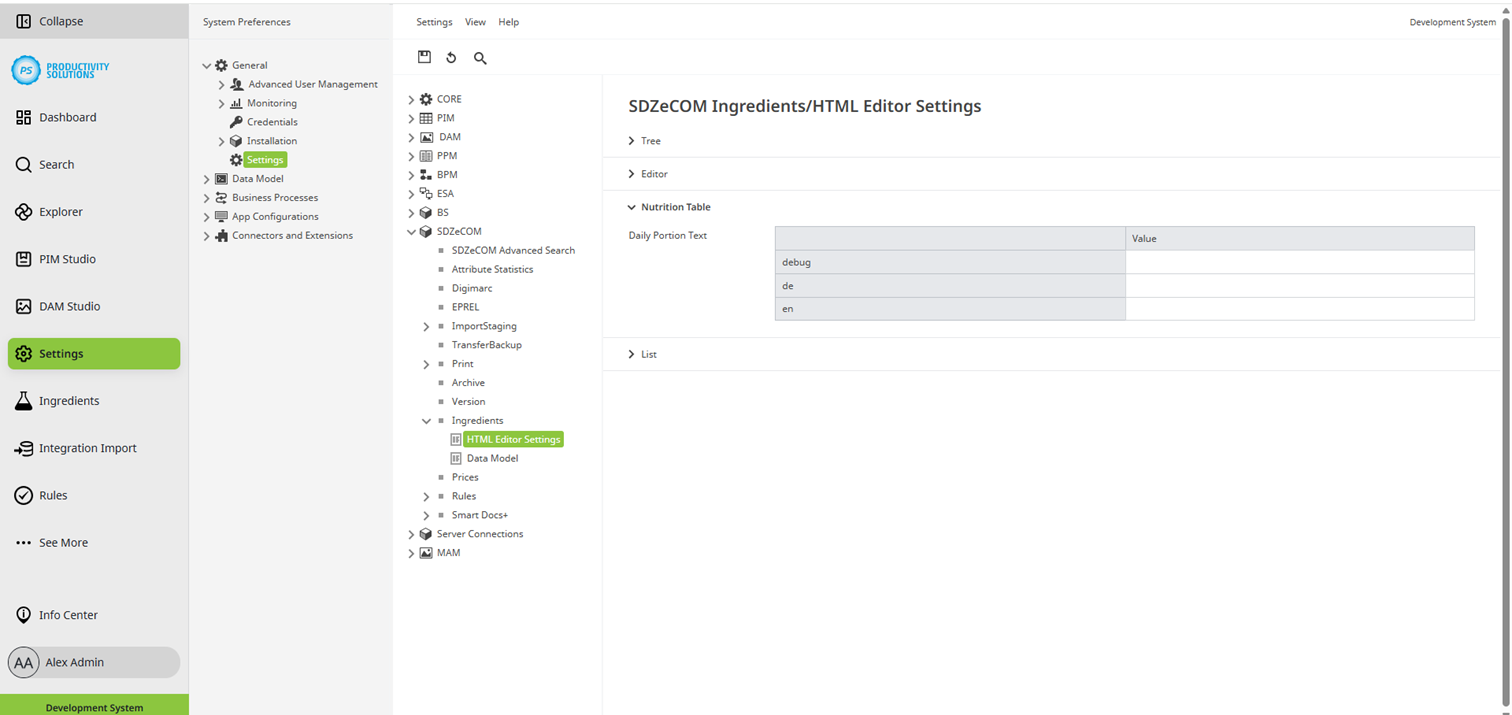
HTML editor settings for the nutrient table
-
Daily portion text: This text will appear as a footnote below the nutrition table if a daily amount is specified for a nutrient.
If nothing is entered, the following default text appears:
Reference amount of the daily requirement for an average adult (8400kJ/2000kcal)
Selected settings for the data model that correspond to those of, for example, PIM Studio and MAM Studio
-
Saved Versions
-
Enable additive Inheritance for Configuration Classes
-
Enable Table Versioning