IDOC import
Create an IDOC import as usual.
The URL from which the image is to be retrieved can also be imported.
When creating the data model for the IDOC import, all attributes are initially created as single-line text attributes.
Remember to change the attribute type of the image attribute to “Reference to DAM File.”
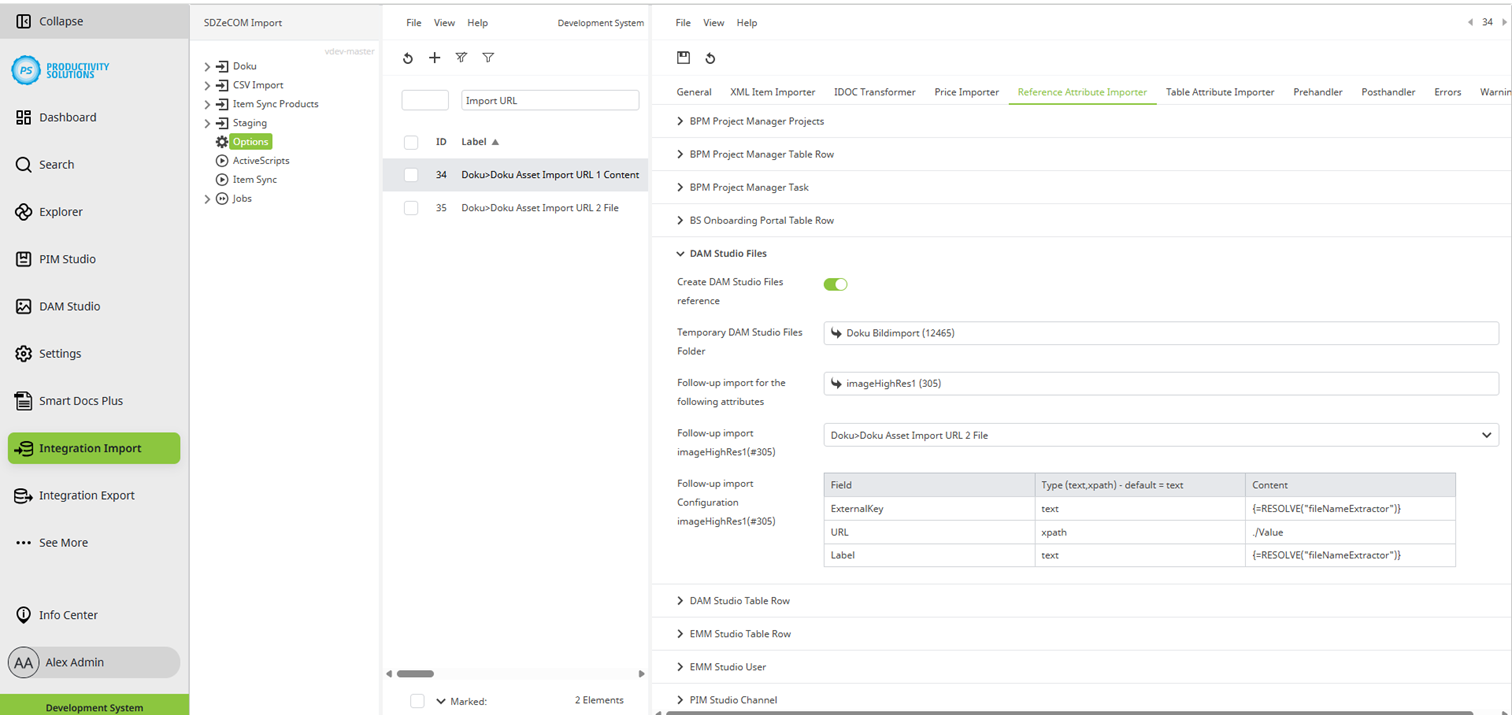
Configuration of the Reference Attribute Importer
Field
|
Description
|
|
Create DAM Studio Files Reference |
Activate this option. Please note that at this point in the process, the referenced object is merely a shell with the prefix tmp_, and the actual asset is only physically referenced once it has been retrieved. |
|
Temporary DAM Studio Files Folder |
Select the DAM folder into which the images are to be imported. The folder must have an unique external key. |
|
Follow-up import for the following attributes |
Select the reference attributes in which the imported images are to be referenced. The following two fields can be configured separately for each attribute. |
|
Follow-up import Attribute name |
Select the context with which the file is to be retrieved. |
|
Follow-up import configuration Attribute name |
Define at least the following XML tags (target fields in Centric PXM™):
To read a value from the IDOC, enter xpath as “Type”. For a fixed value enter text. Under “Value” you define the IDOC node that contains the information. For example, in order to extract the file name, SDZeCOM Stringfunctions+ must be licensed so that variables can be used. Example formula: {=VAR("KEYS";{=SPLIT({=VAR("KEY")};"/")})
|
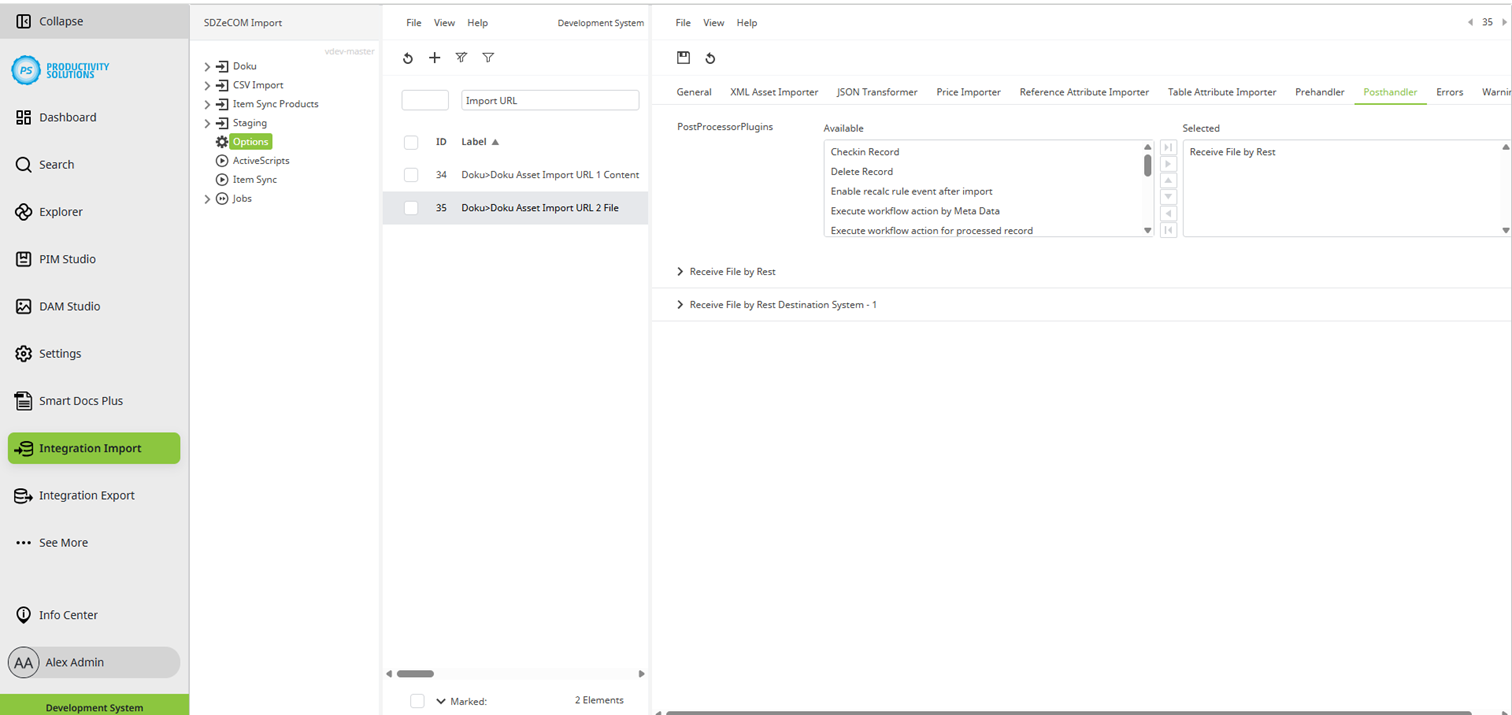
Receive and reference file
Create an XML Asset Import with JSON transformation as usual and fill in at least the following fields:
-
Matching field
-
Label field
-
URL field
Activate and configure the post handler “Receive File by Rest”.