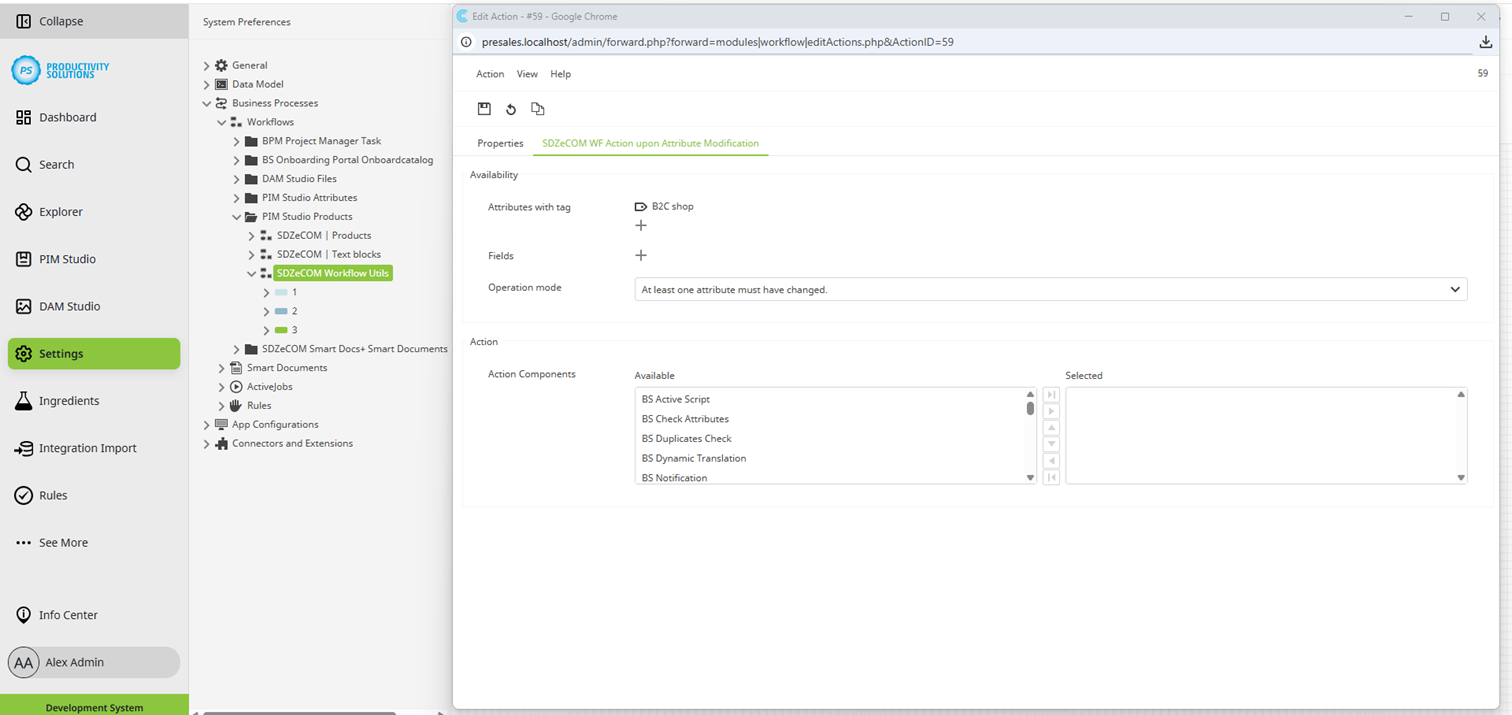
You can use this action component to perform workflow actions only when values of certain attributes have been changed.
Designation
|
Explanation
|
|---|---|
|
Attributes with tag |
All attributes with the selected tag will be checked. Procedure:
|
|
Attributes |
If you do not define the attributes to be checked using tags, select the attributes manually here. |
|
Operation mode |
Decide whether the actions are to be carried out when at least one attribute has changed or when all attributes have changed. |
|
Action components |
Select the actions to be performed. Example: When the value in attribute A changes, the value is to be written into attribute B. This can be done, for example, with a Data Flow Action, which can be triggered using the “Create SDZeCOM Active Script Job” or BS Active Script (if Business Skills are licensed) components. |