
This posthandler sends text data to an assistant in ChatGPT.
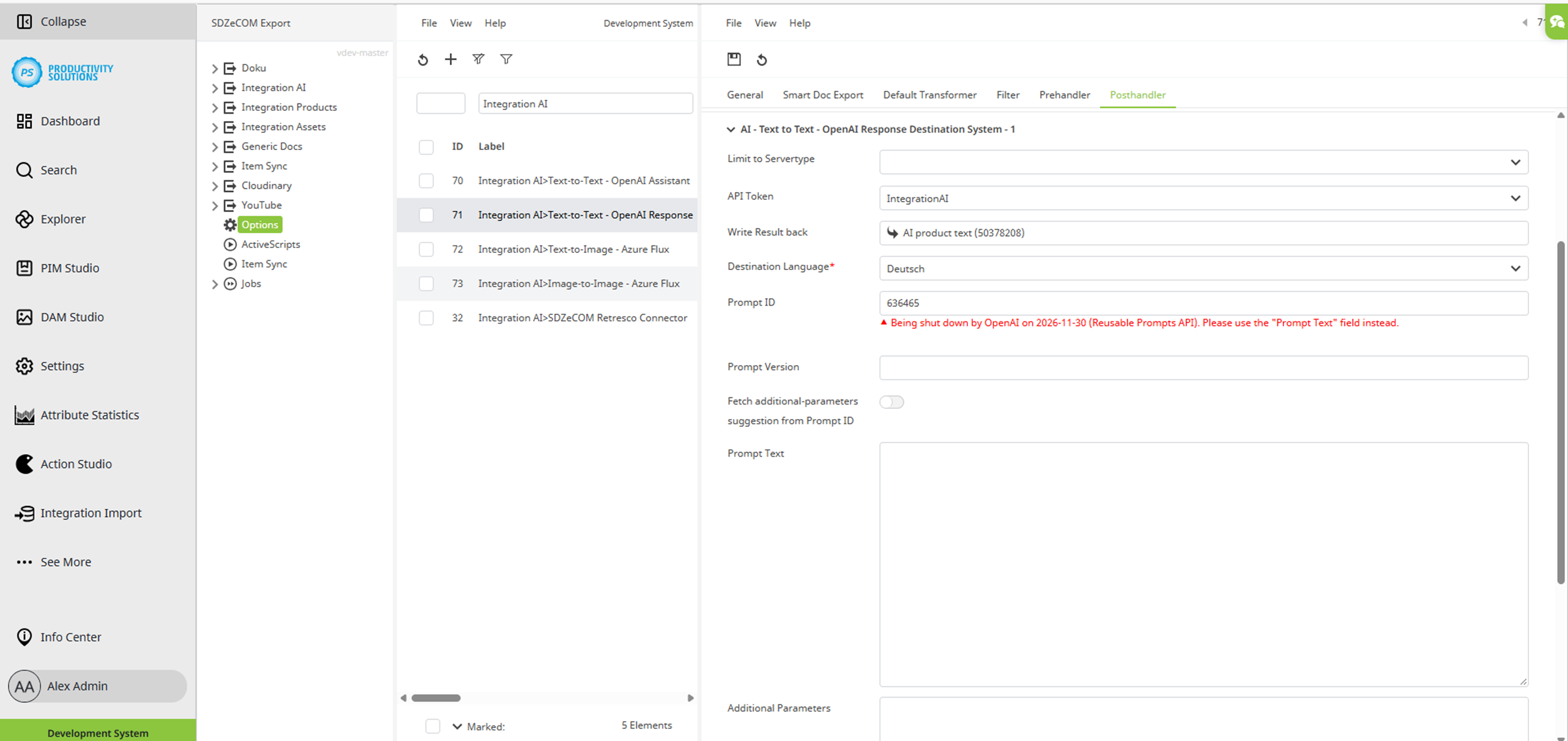
Field
|
Description
|
|---|---|
|
Destination Systems |
Enter the number of target systems required for this context. In this use case, a “1” is entered since the data is sent to only one destination. |
|
Limit to Servertype |
May be left empty |
|
API Token |
Create the token (module: SDZeCOM Integration) in the Credentials section under Settings > General, and then select it here. |
|
Write Result Back |
Select the attribute in which the generated text is to be written. |
|
Destination Language |
Select the target language. |
|
Prompt ID |
Enter the Prompt ID. OpenAI will shut down this function as per 2026-11-30 (Reusable Prompts API). Use the "Prompt Text" field instead. |
|
Prompt Version |
Enter the Prompt Version. |
|
Fetch additional-parameters suggestion from Prompt ID |
This option resolves tools, temperature, top_p, etc. of the Prompt ID to copy into "Additional Parameters". Warting: This option triggers a real, billable OpenAI API call. There is no free retrieval API for prompt objects. After fetching, it is automatically deactivated again. |
|
Prompt Text |
Enter the prompt content directly as text. It will be sent to the API as a system message immediately before the data record content. |
|
Additional Parameters |
Enter additional query parameters if necessary. |