
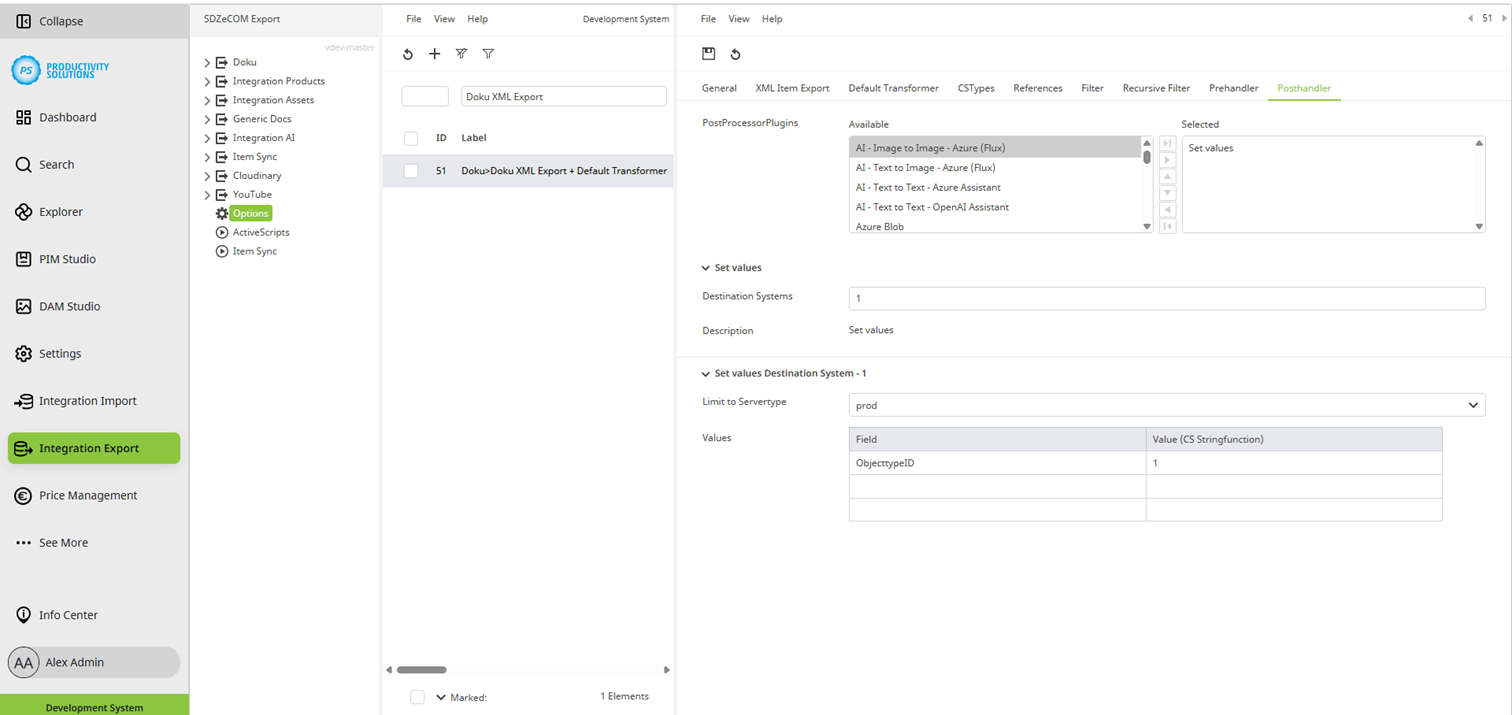
This posthandler allows attribute values to be set after processing.
Available for:
Example: An object is to be given a certain object type after it has been exported.
Field
|
Beschreibung
|
|
Destination Systems |
Enter the number of target systems required for this context. The fields described below are available per target system. |
|
Limit to Servertype |
Select the server type:
Use case: You export to a test target system and a productive target system. Create both systems as destination systems. Select the appropriate server type for each. The export context knows which system it is in: Only the corresponding target system is addressed from the respective environment. This ensures that no exports are made to a productive target system when copying the system to the staging tenant. |
|
Values |
Field: Enter the ID of the attribute in which you want to enter a value. Value (CS Stringfunction): Enter a fixed value or use a formula. |