Configurable for the following object types:
Field
|
Description
|
|---|---|
|
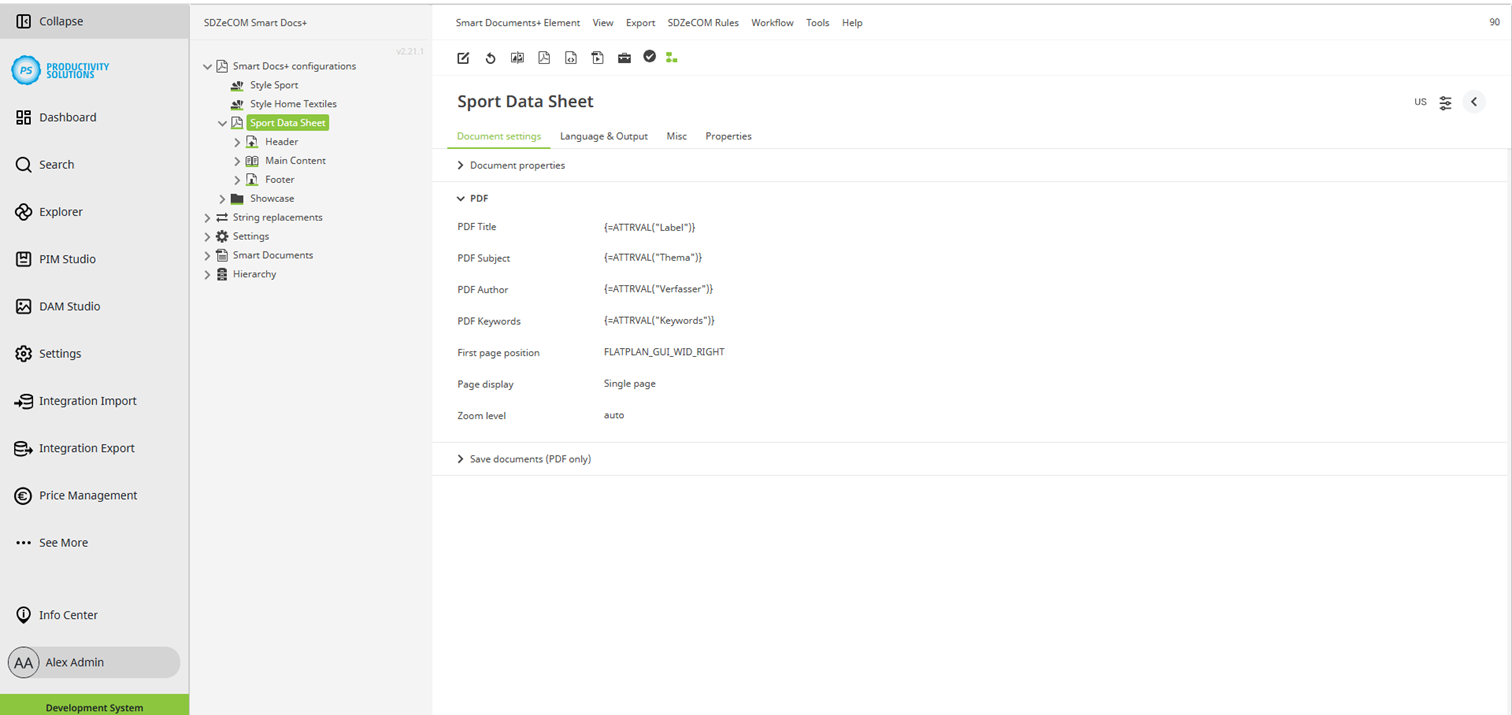
PDF Title |
Only relevant when PDF files are generated. You can define a title that is displayed in the document properties of the PDF. |
|
PDF Subject |
Only relevant when PDF files are generated. You can define a subject that is displayed in the document properties of the PDF. |
|
PDF Author |
Only relevant when PDF files are generated. You can define an author who is displayed in the document properties of the PDF. |
|
PDF Keywords |
Only relevant when PDF files are generated. You can define keywords that are displayed in the document properties of the PDF. |
|
First page position |
Only relevant when PDF files are generated. You can define the position of the first page of the PDF:
|
|
Page display |
Only relevant when PDF files are generated. You can define how the pages are displayed in the PDF:
|
|
Zoom level |
Only relevant when PDF files are generated. You can define the zoom level to be applied when opening the PDF:
|