
A “Ruled Object List” tile in the Dashboard allows you to check objects specifically based on defined rules.
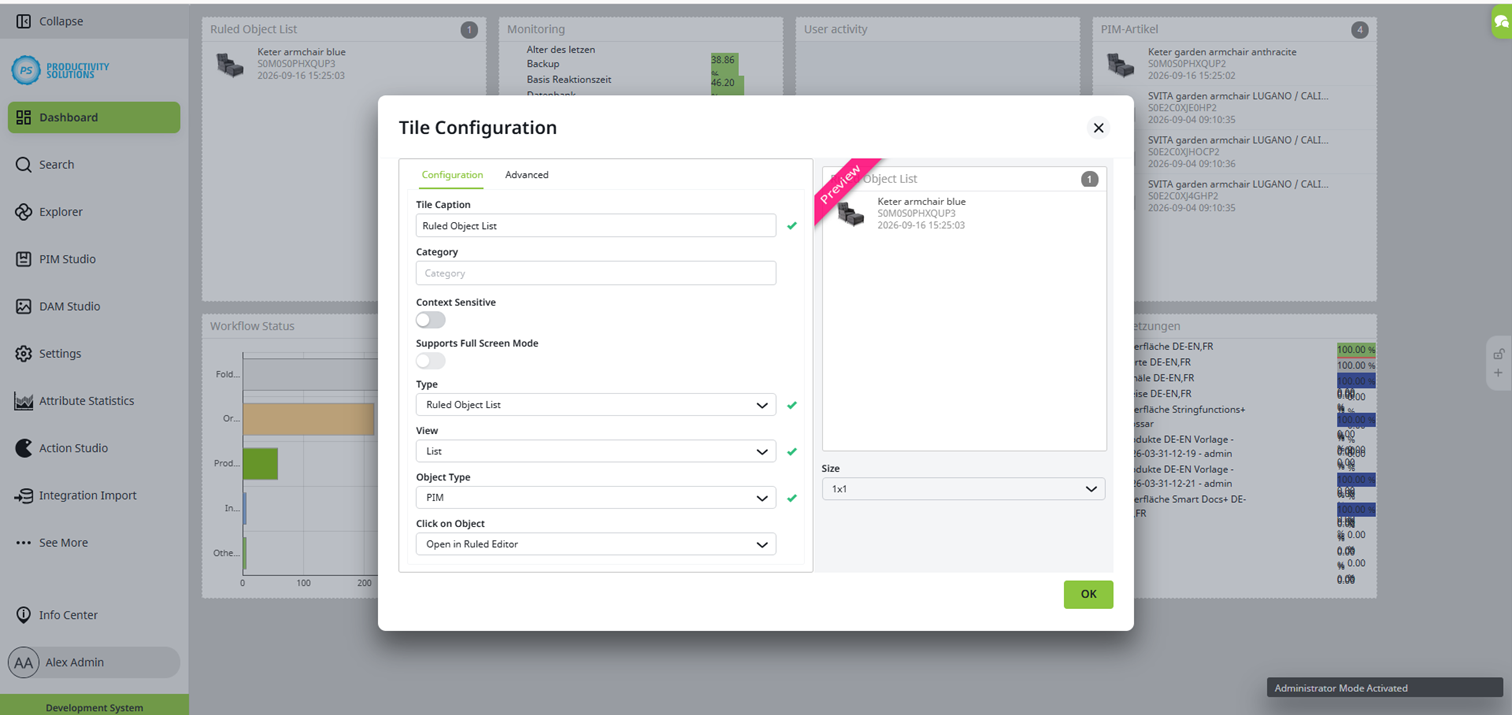
The tile uses the rule checks linked to the workflow action modules “SDZeCOM Simple Rule Check” or “SDZeCOM Complex Rule Check.” For each object in a specific workflow status associated with one of these two action modules, the system knows which rule it must satisfy in order to advance to the next status. The dashboard tile later accesses this information using the workflow filter. Therefore, first configure your workflow transitions accordingly.
Then, create the dashboard tile. The tile’s settings generally correspond to those of a standard Object List tile. Configure the following settings:
Field
|
Setting
|
|---|---|
|
Type |
Ruled Object List |
|
Click on objectg |
Open in Ruled Editor |
|
Workflow state |
If necessary, limit the selection to the start status or statuses that the tile is supposed to consider. |
All other fields in the tile are optional, just like the workflow status, and can be configured just as in the Object List tile.
When you click on an object, it opens in the Ruled Editor.
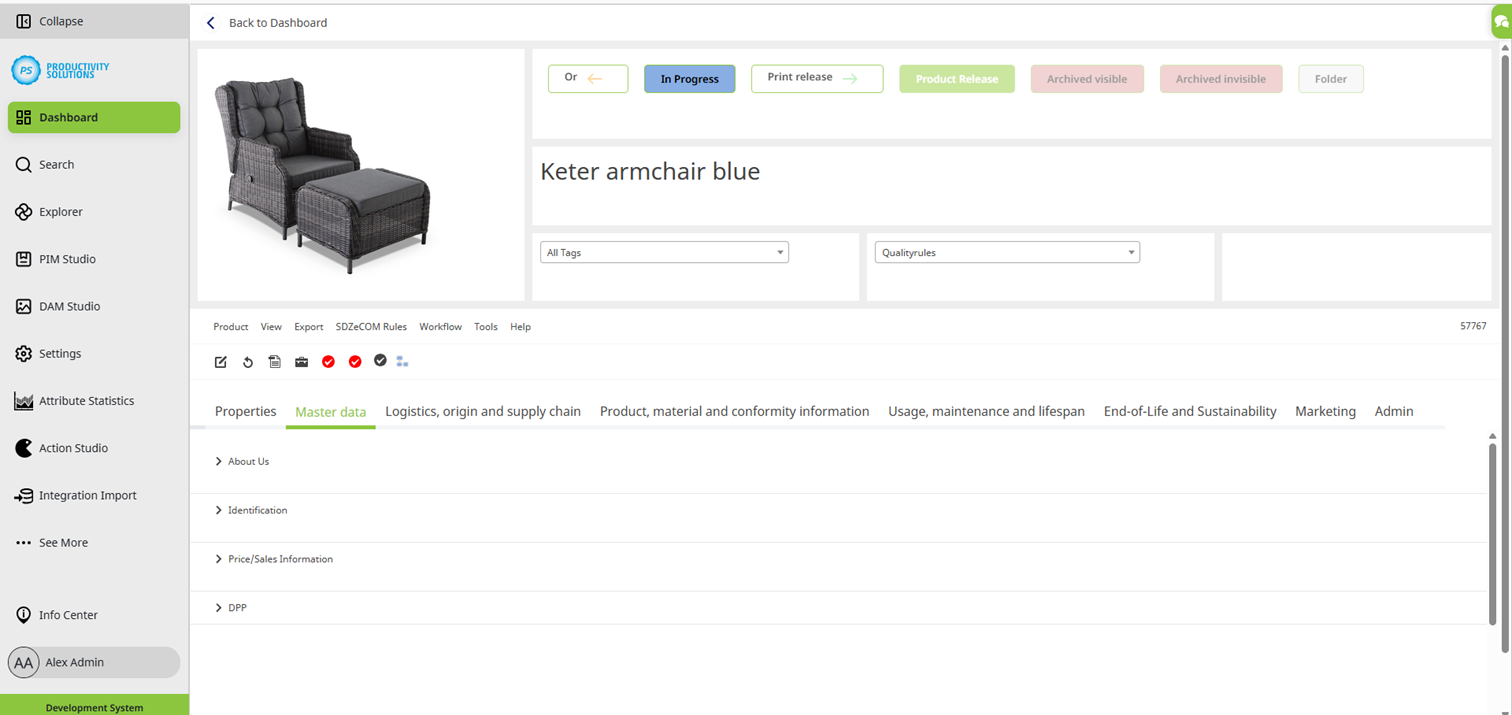
The upper section displays the object's workflow statuses and workflow actions, which you can also run here.

Below that, the object label is displayed, along with two filters:
Field
|
Setting
|
|---|---|
|
Tags Default value: All Tags |
If you have tagged attributes, you can filter the editor window at the bottom by those tags. You can select only one tag at a time from the drop-down menu. Any attributes without that tag will not be displayed. Tabs that do not contain any attributes tagged with that tag are grayed out. 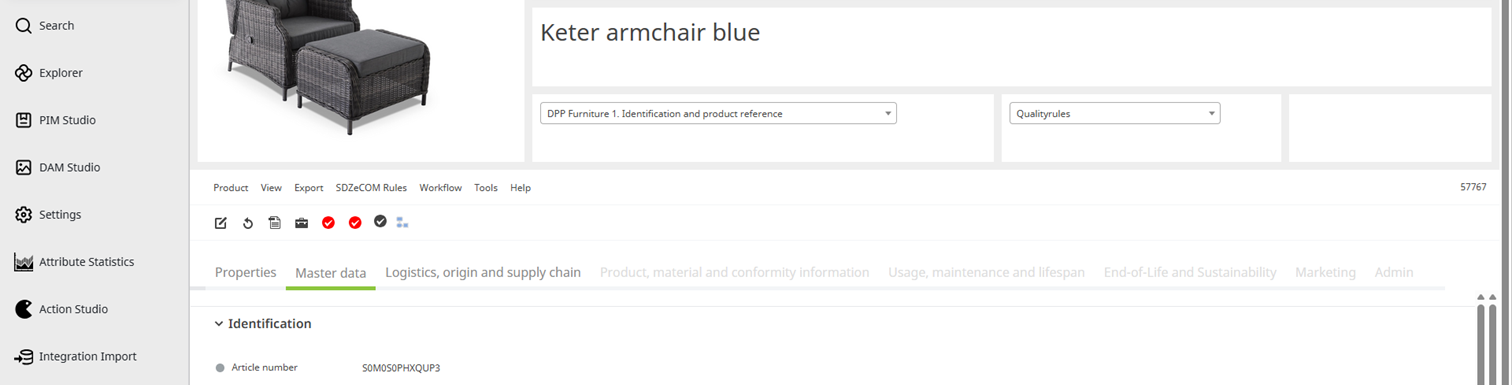
|
|
Regeln Default value: Qualityrules |
If you have created rules, you can filter the editor window at the bottom by them. Only one rule can be selected from the drop-down menu at a time. Any attributes not covered by this rule will not be displayed. Tabs that do not contain any affected attributes are grayed out. If the rule is marked with a red cross, the object does not meet this rule. You can edit and maintain data directly in the editor window. If the rule is marked with a green checkmark, the object meets this rule. 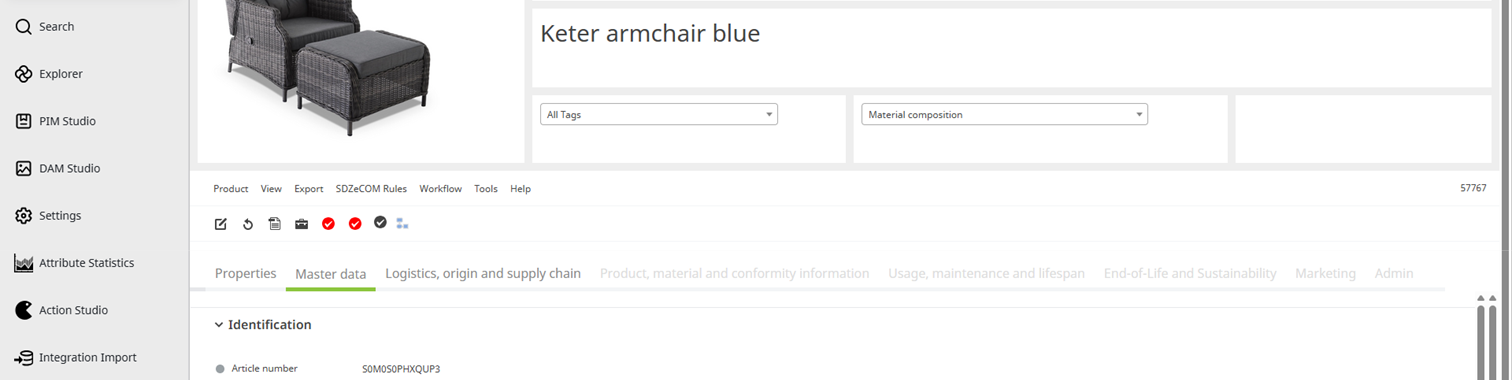
|