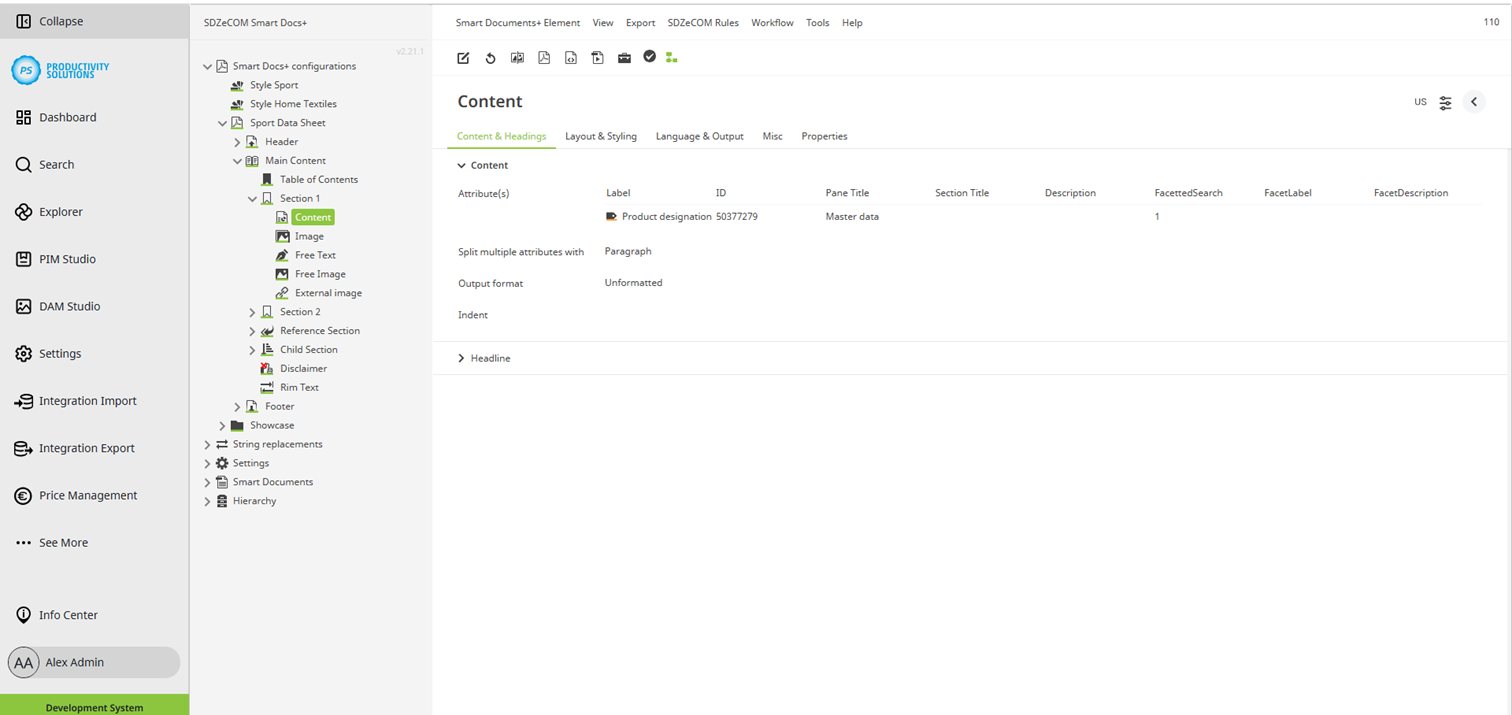
Configurable for the following object types:
Field
|
Description
|
|---|---|
|
Attributes |
Select the attributes to be used in the data sheet. Only available for: content, reference content, formatted multi-select |
|
Formula |
Enter any formulas to retrieve and compile content for the document with the help of formulas. Only available for: formula |
|
Split |
Decide how the attributes are to be separated from each other:
Only available for: content, reference content, formatted multi-select |
|
Format |
Select how you want the text to be formatted. When using headline 1 – 6, the formatting corresponds to the configuration of the corresponding headline level in the style used. Also possible:
Only available for: content, free text, reference content, disclaimer, rim text, formula |
|
Limit items to |
If necessary, you can limit the number of elements to be considered. Enter an integer value. Only available for: reference section, child section |
|
Children level |
Decide whether all subelements or only elements down to a certain level are to be included. Only available for: child section |
|
Tree select |
Select whether only end nodes, only folders, or both are to be included. Only available for: child section |
|
Capitalize first word |
Select whether the first word of each bullet point is supposed to start with a capital letter. Only available for: formatted multi-select |
|
Indent |
If required, define an indent for the element with a unit (e.g. pt. px, mm, em, ex, % etc.). Only available for: section, content, free text, reference content, formatted multi-select, disclaimer, barcode, QR code, formula, external image |
|
SDZeCOM rule filter |
If you have licensed the SDZeCOM Rules module, you can enter the ID of the rule to be used for additional filtering of the images. Common example from practice: Your reference attribute contains released and non-released images, but you only want to output the released images in the data sheet. Only available for: reference content |